 English
 Magyar

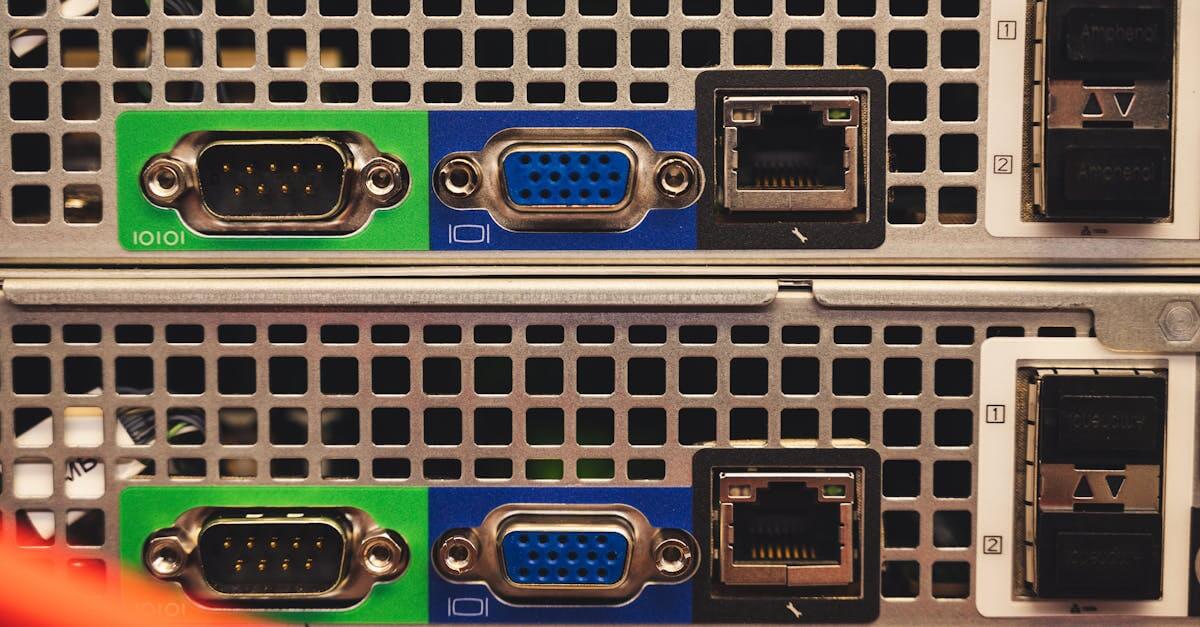
A dedicated server is a physical computer that meets the requirements of server hardware and is typically located in a data centre, where ideal conditions can be created for it.
It gets its name from the fact that a dedicated server supports a single client – be it a business, an organisation or even a private individual – with all its resources, so there is no need to worry about resource sharing or configuration issues.
A dedicated server provides exclusive and full access to the CPU, RAM, hosting and bandwidth alike, and one of its greatest advantages is that you are free to install any operating system, software and security protocol on it.
This represents a huge step forward for many businesses compared to shared hosting, but it offers a significant advantage, for example, for high-traffic websites and online shops, as well as when running resource-intensive applications.
How does a dedicated server work?
A dedicated server works exactly like a server you’d set up at home, with the only difference being that the server is not physically in our possession; we simply rent it from the provider, thereby avoiding any potential maintenance and operating costs.
This dedicated server is connected to the internet, allowing the user to access all its resources; in other words, a system administrator has unlimited scope to configure and manage the server.
Users have both root access and administrator privileges on the dedicated servers, so they are free to choose their operating system, install the software they require, customise the server environment and configure the optimal security settings.
The benefits of using a dedicated server
Provided a dedicated server is backed by the right system administration expertise – that is, provided it has been configured correctly – it can always be a key component of a successful online project.
It doesn’t matter at all whether you’re running a website on it or just managing a database with it; a dedicated server is essential for everything to run smoothly.
Without a dedicated server, we must expect that prospective clients and customers will frequently encounter downtime and slowdowns, which has a deterrent effect and, in the long term, undermines brand loyalty and reduces revenue.
What are the benefits of using a dedicated server? Let’s take a look:
High performance and speed
As we highlighted above, the greatest advantage of a dedicated server is that users have full control over the associated resources and do not have to share them with others, which can be a major compromise for a growing business.
The server’s performance and speed are optimised to meet users’ needs, enabling fast operation, low response times and even the running of resource-intensive applications.
Enhanced security
As we will have full control over the server, we can configure the security systems to the highest standards. We can decide on the operating system, the associated applications and the security measures alike.
Crucially, as we do not share the server with anyone else, there is no need to worry that our service might slow down due to a compromised website, or that the data stored on it might fall into the wrong hands.
Flexible scalability
With a dedicated server, users benefit from complete flexibility in scalability right from the start; for example, they can tailor the final configuration to their needs not only in terms of software and settings, but also in terms of hardware, which is essential for optimising performance.
In addition, the dedicated server option ensures that if, for any reason, you reach its limits, you can upgrade it – for example, by adding more CPU power or more RAM, should this be necessary.
Dedicated IP address
Although there are numerous other minor advantages to dedicated servers that could be listed, the dedicated IP address certainly stands out from the rest; it is completely isolated and cannot be accessed by anyone else, thus offering exclusivity to the customer.
A dedicated IP address can be important in several respects, but it is a key factor in enhancing brand value, determining network performance and security, and can even play a role in SEO.
The disadvantages of using a dedicated server
Dedicated servers generally offer nothing but advantages, as they provide solutions tailored to specific needs; however, there are obviously certain characteristics that tend to reinforce the list of drawbacks. These are as follows:
A more expensive solution
The biggest drawback of a dedicated server is its higher price point, as it ranks amongst the most expensive solutions; however, in return, we obviously get something in return, as we have unlimited access to the entire server. That said, a start-up business, for example, may not be able to manage this cost easily straight away.
Expertise required
Whilst shared hosting typically does not require any special configuration or the presence of a system administrator on the part of users, with dedicated servers this is a fundamental requirement in order to achieve the correct settings and truly make the most of the capabilities of this type of server.
Managing a dedicated server
To ensure that a dedicated server can meet our needs to the full, the correct settings are absolutely essential.
Although this is usually carried out by a system administrator, it’s still worth being familiar with the basics of managing a dedicated server:
An appropriate security system
When it comes to dedicated servers, the most important thing is to set up an appropriate security system, as protecting sensitive data and preventing unauthorised access are essential in this context.
This requires, for example, the use of sufficiently robust authentication methods and a firewall to manage incoming and outgoing traffic; however, in addition to regular security audits, it is advisable to pay close attention to logging, both in relation to performance and general activities.
Inadequate server security can always lead to data breaches, financial losses in the long term, and damage to the brand and the company’s reputation.
Make sure you keep an eye out for regular updates
Keeping software and associated firmware up to date is essential for the operation of dedicated servers, but it is vital that this covers everything, from operating systems, through web server software and applications, right through to database systems.
If we pay attention to this, we can rule out the main security issues that could cause problems with the server’s operation.
Continuous backups
Data loss can have a very serious impact on any business, and dedicated servers that operate without regular backups are particularly at risk.
These systems can now be automated, making backups easier, but it is worth carrying out external manual backups from time to time as well; whilst this is time-consuming, it can be extremely useful.
In fact, it’s also a good idea to test the system from time to time – that is, to check that the backups actually contain data that can be restored.
Let’s use server monitoring tools
Continuous monitoring of a dedicated server’s performance is very important so that any issues which, in the long term, could lead to unnecessary wastage of resources or, indeed, longer loading times, can be identified in good time.
There are some excellent monitoring tools available that can be used to effectively monitor the performance, settings, configuration and general resource allocation of a dedicated server.
Rent or buy your own server?
Purchasing an enterprise-grade server is a significant one-off expense, and the cost of the machine itself is just the start: the owner is also responsible for the power supply, cooling, physical security, network connectivity and the replacement of faulty components, whilst the hardware becomes obsolete within a few years.
With a rented dedicated server, you get the same performance for a monthly fee: the machine runs in the provider’s data centre, they maintain the hardware, and if you outgrow the configuration, you can simply upgrade to a larger one. You still have full control over the server, with root access and the freedom to choose your own operating system and software.
How much server capacity do you need?
Incorrect sizing can prove costly in two ways: a underpowered machine cannot cope with the load, whilst an oversized machine means we are paying for more capacity than we need. It is worth considering the following before making a choice:
- Processor (CPU): websites, online shops or databases that handle a large number of concurrent requests require multiple cores; for individual resource-intensive tasks (such as translation or encoding), the performance per core is also important.
- Memory (RAM): databases and caches operate from memory, so insufficient RAM is the most common bottleneck. It is better to have some spare capacity than for the system to have to swap to disk.
- Storage: HDDs offer high capacity at a low cost (ideal for backups and archiving), whilst SSDs – and even more so NVMe – are many times faster, making them the standard choice for websites and databases.
- Network and traffic: for sites serving large files, check the port speed and monthly traffic allowance; a CDN can take a lot of the strain off the server.
- Growth: choose a configuration that can cope with growth over the next year or two, as replacing a server involves a migration.
The available configurations can be found on our dedicated server page, and we can help you put together the right one to suit your specific needs.
How to choose an operating system for a dedicated server?
Although there are many important decisions to be made when it comes to dedicated servers, one of the key considerations in every case is choosing the right operating system.
When renting this type of server, you generally do not receive any software; you have to install, configure and run it yourself. The right operating system is essential because it plays a fundamental role in the server’s operation.
At present, both Windows- and Linux-based operating systems can be installed on dedicated servers. Which one we choose is entirely up to us.
With a Windows-based operating system, you can expect greater ease of use, a higher level of compatibility and dedicated support; however, it will always set you back a fair bit.
Linux, on the other hand, offers a wider range of uses, better resource utilisation and more customisation options, whilst it can even be set up entirely for free, though compatibility issues may arise.
How to choose a dedicated server provider?
Last but not least, we must certainly discuss in this article how to choose the provider who will supply us with a dedicated server.
Choosing the right provider is no easy task, as the infrastructure can have an impact on our future website, the success of our business, and even the performance of the applications running on the server.
If we want to make the right decision, we should always ask ourselves the following questions before making a choice:
- How much performance do we need in terms of dedicated server specifications?
- What reviews can be found online about this dedicated server provider?
- Does the support team always have access, is it reliable and helpful?
- Does the configuration of the dedicated servers they provide offer sufficient flexibility?
- What level of uptime does the provider guarantee?
- Can we afford the cost of a dedicated server?