 English
 Magyar

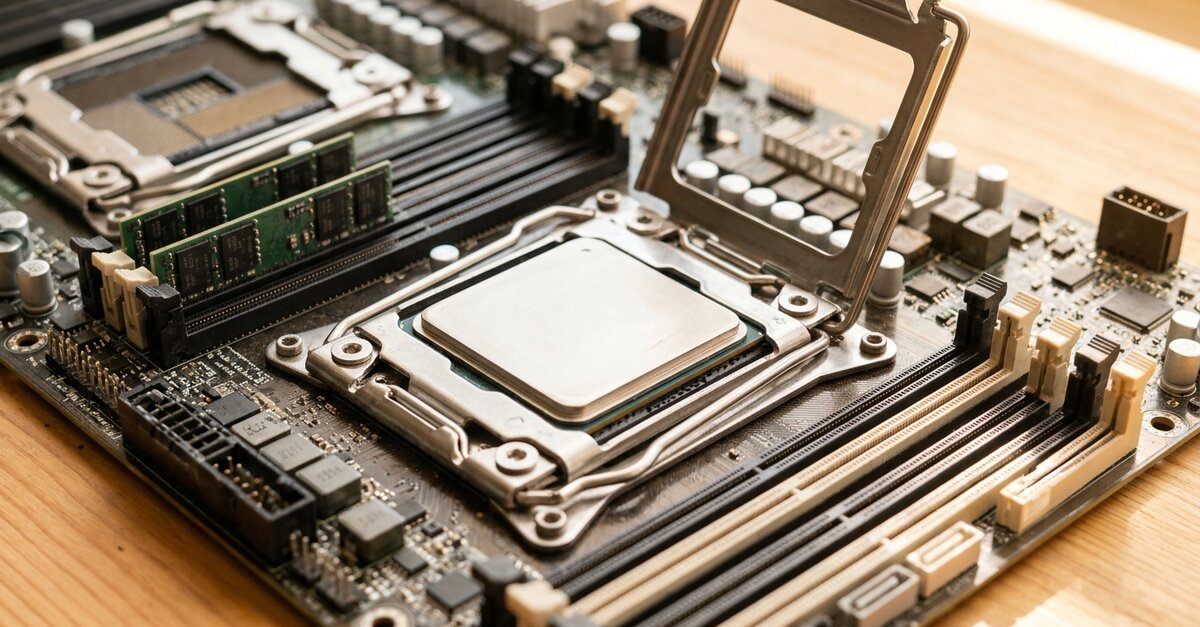
An AMD Epyc VPS is a virtual private server whose physical host machine is powered by a member of the AMD Epyc server processor family. If you’re choosing now, do take a look at our AMD Epyc KVM VPS plans too: in this article, we explore what makes this platform so powerful, what its hardware security features can do, who it’s recommended for and when, and how to get started with it.
When renting a VPS, most people compare the price, RAM and storage capacity, yet the type of processor used in the server is at least as important. It is no coincidence that more and more providers are building their servers around AMD Epyc processors, and an increasing number of people are specifically looking for this type of virtual server.
What is an AMD Epyc KVM NVMe VPS?
The plan descriptions often feature these three elements together: AMD Epyc processors, KVM virtualisation and NVMe SSD storage. Each of these is important in its own right.
AMD Epyc processor
AMD’s server processor range, designed specifically for data centres, virtualised infrastructure and sustained, heavy workloads, is optimised for reliability, high computing capacity and scalability. In many respects, it differs from processors intended for desktop computers: it offers multiple cores, a large cache and numerous memory channels, enabling a single physical server to host many virtual machines with consistent performance.
KVM virtualisation
KVM (Kernel-based Virtual Machine) is a solution built into the Linux kernel, based on the processor’s hardware virtualisation capabilities (AMD-V). It provides full virtualisation: every VPS is a separate virtual machine with its own virtual processor, memory, disk and kernel. This is why a KVM VPS behaves like a dedicated server: you can run any operating system and software on it, including those that would not work on a container-based VPS.
NVMe SSD storage
A fast VPS is built on fast storage. NVMe SSDs connect to the PCIe bus and are many times faster than SATA SSDs, particularly when handling numerous parallel, small write and read operations. This results in noticeably faster performance for databases and websites that handle large numbers of small files.
Why is the processor important in a VPS?
A VPS runs on a physical server alongside many other virtual machines. Each VPS is allocated its own virtual processor cores (vCPUs), which are served by the physical cores and threads of the host machine. The host machine’s processor determines how much computing capacity is allocated to the virtual machines at any one time, and how they behave when multiple virtual machines are placing a load on the server.
On an older, lower-core-count host machine, virtual machines start competing for processor time sooner, and during peak periods this manifests as a slowdown on your server too. The Epyc architecture delivers performance at VPS level that previously required a dedicated server.
Key features of the AMD Epyc architecture
The Epyc family comprises several generations and many models, but their key features are common to all.
Many physical cores and threads
Epyc processors offer a huge number of cores in a single socket: the larger models feature 96 or 128 cores, whilst the flagship model of the latest, fifth-generation (Zen 5-based, 9005 series) family boasts 192 cores and 384 threads. The more physical cores available, the more virtual machines can run simultaneously without competing for processor time. High-load websites, databases and web applications benefit directly from this: response times remain more predictable even at peak times.
Large L3 cache
Most models feature several hundred megabytes of L3 cache, with versions featuring 3D V-Cache technology offering even more. Thanks to the large cache, the processor needs to access the slower memory less frequently, which is particularly noticeable when working with databases and web applications that handle a large number of small requests.
Many memory channels
No matter how fast a processor is, it’s of little use if it can’t retrieve data from memory quickly enough. The fourth- and fifth-generation Epyc processors handle 12 DDR5 memory channels per socket, allowing more data to flow between the processor and memory simultaneously. This is particularly important for memory-intensive applications, such as large databases and caching systems (Redis, Memcached).
Many PCIe 5.0 lanes
A single Epyc processor provides 128 PCIe 5.0 lanes, and up to 160 in a dual-processor system. NVMe SSDs and network cards are connected to these, enabling the server to handle multiple high-speed storage devices and high-bandwidth networks simultaneously without any bottlenecks. In a VPS, storage and network speeds are at least as important as the processor’s speed: an online shop or a database performs many small read and write operations.
Compatibility
Epyc is based on the x86-64 architecture, so it can run all common server operating systems: Linux distributions (Ubuntu, Debian, AlmaLinux, Rocky Linux) and Windows Server alike.
Designed for virtualisation
The essence of a VPS is that several virtual machines run on a single physical server, each isolated from the others. The hardware virtualisation support (AMD-V) in Epyc processors is designed for this purpose, whilst KVM, built on top of this, provides each VPS with its own kernel and its own resources.
The combination of multiple cores, multiple memory channels and fast I/O means that a host machine running Epyc can run many virtual machines quickly and stably alongside one another. This means your VPS is less affected if another virtual machine running on the same host machine is currently under heavy load. As your project grows, upgrading to a larger plan will increase your processor, memory and storage capacity, and on multi-core servers, the provider can maintain sufficient reserves to accommodate this.
Hardware security: SME, SEV, SEV-ES and SEV-SNP
When it comes to VPS rental, most people think of firewalls, strong passwords and updates when it comes to security. These are indeed the most important factors, but modern server processors also offer an additional layer of protection, and Epyc is one of the most sophisticated solutions in this regard.
What does hardware security protect?
Traditional security measures, such as TLS encryption, VPNs and firewalls, protect against attacks coming over the network and encrypt data whilst it is being stored and transmitted. However, they do not address what happens to the data whilst the virtual machine is processing it, meaning it remains unencrypted in memory.
In a traditional virtualised environment, the host machine (the hypervisor) technically has access to the memory of the virtual machines running on it. The purpose of hardware-based security features is to restrict this access at the processor level: the virtual machine’s data remains encrypted even if someone attempts to read it from the host machine.
SME and SEV: encrypted memory
Epyc processors feature security functions collectively known as AMD Infinity Guard. SME (Secure Memory Encryption) encrypts the entire system memory. SEV (Secure Encrypted Virtualisation) goes a step further: it encrypts the memory of virtual machines, using a separate key for each one. The keys are generated and managed by the security processor (AMD Secure Processor) built into the processor, ensuring that they do not enter the area accessible to software or the host operating system.
Encryption takes place in the memory controller whilst the system is running, so applications do not need to be rewritten to support it; however, the operating system running within the virtual machine must support it.
SEV-ES: protection of processor registers
SEV-ES (Encrypted State) encrypts not only the memory but also the contents of the virtual machine’s processor registers when control is transferred from the virtual machine to the hypervisor. This means that even a compromised hypervisor cannot read sensitive data, such as keys, from the registers.
SEV-SNP: integrity protection and certification
SEV-SNP (Secure Nested Paging) is the most advanced level. In addition to encryption, it prevents the hypervisor from silently modifying, swapping or replaying the virtual machine’s memory, and enables attestation: the owner of the virtual machine can verify that their machine has indeed booted in a protected environment with the expected software. The virtual machines offered by major cloud providers under the name ‘confidential computing’ are typically based on this; in 2020, Google also built its first such Confidential VMs with encrypted memory on Epyc processors.
Important: these features must be enabled
Just because a server is powered by an Epyc processor does not mean that the VPSs running on it automatically benefit from encrypted memory. To use SEV, the provider must enable the feature and support it within the virtualisation system, whilst the virtual machine must boot with an operating system and firmware configured for this purpose. Encryption comes at a performance cost and may also restrict certain functions (such as live migration or certain backup methods).
If your work requires this level of protection (for example, due to the handling of strictly regulated data), ask the provider about this before signing up, and request confirmation that SEV-SNP is actually running on your virtual machine. Where the provider utilises these features, data used whilst the system is running is also encrypted, and the virtual machines of multiple customers on a single host are more effectively isolated from one another.
Does it provide complete security?
No, there is no such thing as complete security in IT. In recent years, researchers have demonstrated several attacks targeting various versions of SEV; AMD has addressed these with firmware and microcode updates. The effectiveness of hardware-based protection therefore also depends on how up-to-date the server’s firmware is, and how carefully the service provider operates the system.
In reality, most VPS servers are not hacked via the hypervisor, but through the software running on the virtual machine: via an outdated CMS, a weak SSH password or a service left open. Hardware-based encryption does not protect against these. The most important steps remain:
- Regular updates to the system and applications;
- Configuring the firewall to open only the necessary ports;
- Key-based SSH login and securing your SSH server;
- Regular backups stored separately from the server.
Energy efficiency and value for money
A large proportion of server operating costs is accounted for by electricity and cooling. Epyc processors deliver a high level of performance per watt, meaning a data centre can carry out the same work with fewer servers, less space and less cooling. This directly benefits the provider, but in the longer term it is also reflected in prices: VPS providers can offer more resources for the same amount of money, whilst lower energy consumption is also better for the environment.
A future-proof platform
When choosing a VPS, we rarely think about it, but the future-proof nature of the underlying platform also matters: it’s worth building on a service that will still be competitive in a few years’ time and which the provider can continue to develop.
Even the major cloud service providers are building their systems around Epyc processors
The choices made by major cloud service providers serve as a good guide in the server market, as they purchase in huge volumes following thorough assessments. Amazon Web Services, Microsoft Azure, Google Cloud and Oracle Cloud all offer AMD Epyc-based virtual machines, in general-purpose, memory-optimised and high-performance computing (HPC) variants. According to AMD, more than a thousand Epyc-based instance types are already available from the major cloud providers.
One advantage of such a widely used platform is that software, operating systems and virtualisation tools all support it well, and bugs and security vulnerabilities are fixed quickly because they affect a huge number of users.
Ongoing development, long-term platform support
AMD releases a new generation of Epyc processors every few years, each with more cores, greater efficiency and faster memory. The fourth and fifth generations use the same SP5 socket, so service providers can upgrade their machines without having to replace the motherboard, and AMD has also announced the next generation (Zen 6, ‘Venice’). An Epyc-based service is therefore not a technological dead end: the service provider can gradually switch to newer hardware, whilst your VPS continues to operate as normal.
Who is the AMD Epyc VPS recommended for, and when?
Like all VPS services, this one also provides dedicated, guaranteed resources (CPU, RAM and storage) at a much lower cost than a dedicated server. Here are a few typical scenarios where it’s worth it.
Online shops and high-traffic websites
An online shop must remain fast even when many people are shopping at the same time and the product and order database is constantly growing. With shared hosting, the resource limitations of the hosting eventually become a constraint: the site slows down during peak periods, and a slow site means lost customers.
On a VPS, your online shop runs on its own dedicated, guaranteed resources, and you can tailor the web server, PHP, database and cache to suit your specific needs. A typical sign that it’s time to switch: your online shop’s traffic has increased, your hosting plan’s resource limits are regularly being reached, and the site’s slowness is now affecting sales.
Development and staging environments
A VPS provides full root access, so you can install any development tools, databases or runtime environments on it – something that isn’t possible on a shared hosting plan. It’s ideal for:
- running your own backend or test database;
- applications running in containers (using Docker);
- a CI/CD runner that carries out your tests and deployments;
- a staging environment where you can test changes using the same settings as the production system.
If the staging and production environments run on the same type of VPS, the test results will provide a much better indication of how the system will behave in production.
Databases
With larger MySQL, MariaDB or PostgreSQL databases, both the processor and the storage have to work hard. A large cache, multiple memory channels and NVMe storage help with the many small read and write operations.
CPU-based AI and data processing
Training and running large language models requires a GPU, and a standard VPS is not suitable for this. However, a great many AI and data processing tasks run on the CPU, and a multi-core VPS provides a good foundation for these:
- Data analysis and classical machine learning using Python, Pandas or scikit-learn;
- Running smaller models (inference) on the CPU;
- Applications and automations that call the APIs of AI services (such as n8n workflows);
- Scheduled data processing and reporting tasks.
Your own services and hobby projects
It’s not just for businesses. A VPS is a good choice if you want to run several of your own projects in one place, under your own domains; if you want to run your own cloud storage (such as Nextcloud), a VPN, a mail server or a game server; if you want to learn Linux and server administration in a real-world environment; or if you want to try out software that wouldn’t run on a shared hosting plan.
For a hobby project, even the smaller plan is often enough: with us, the AMD VPS 1 offers 1 vCPU, 1 GB of RAM and 10 GB of NVMe SSD storage for a monthly fee of €4.62 + VAT.
When is another, cheaper solution enough?
The AMD Epyc VPS is a good choice in many situations, but it isn’t always necessary:
- For websites with low to medium traffic – such as a personal website, a small blog or a start-up online shop – a web hosting plan or cPanel hosting is more than enough, and you don’t need to run your own server.
- For static websites (HTML, CSS, JavaScript, such as a site created using a website builder), static hosting is cheaper and simpler.
- For Windows-specific software, a Windows VPS that comes with a licensed Windows Server is more convenient, as it includes the licence.
With a VPS, you have the freedom, but you also bear the responsibility: you have root access, which means you’re responsible for updates, the firewall and security settings. If you’d rather not do this yourself, our managed VPS service will take care of the server for you.
What should you look out for before renting an AMD Epyc VPS?
The processor is important, but its benefits only really come into their own if the other components can keep up with it. When looking at a good VPS deal, you should also check:
- Do you get true KVM virtualisation, with its own kernel?
- Does the VPS run on a PCIe NVMe SSD? (SATA SSDs are significantly slower.)
- What is the network connection speed, and are there any traffic limits?
- Are daily backups carried out, and can you create a snapshot?
- Is there DDoS protection?
- Can you upgrade to a larger plan later without having to undergo a migration to a new server?
Practical guide: how to get started
- Choose your plan. For a smaller project or for experimenting, a plan with 1–2 GB of RAM is sufficient; for an online shop or multiple websites, 4–8 GB is recommended. If you’re unsure, start with a smaller plan and upgrade if necessary (see: How do I choose the right VPS plan?).
- Select your operating system. Ubuntu and Debian offer the most documentation, whilst AlmaLinux and Rocky Linux are long-term support, Red Hat-compatible systems.
- Log in via SSH and update the system (see: How do I connect to my VPS via SSH?).
- Secure your server: use a dedicated user instead of root, key-based SSH login, a firewall with only the necessary ports, and automatic security updates.
- Install the necessary software, such as a web server, PHP and a database, or, if you wish to manage the server via a web interface, a control panel.
- Make sure you have backups: as well as daily backups, take a snapshot before making any major changes.
Frequently Asked Questions
How is the AMD Epyc VPS different from any other VPS?
The concept of a VPS remains the same: a dedicated virtual machine running on a physical server. The difference lies in the host machine’s processor, which affects performance, the handling of concurrent workloads and the available security features.
Why is having multiple cores beneficial with a VPS?
This is because the host machine can run multiple virtual machines without them competing for processor time. The performance of your own VPS’s vCPUs is therefore more predictable.
Does AMD SEV work on all Epyc VPSs?
No. The provider must enable it, and the guest operating system must also support it. If you need this, please enquire before signing up.
Intel Xeon or AMD Epyc?
Both are state-of-the-art server processor families. Epyc generally offers more cores, more memory channels and more PCIe lanes, making it powerful for parallel, virtualised workloads. Certain Xeon models may be more advantageous for specific tasks (such as those utilising built-in AI accelerators). For a general-purpose VPS, the resources included in the VPS plan, the storage and the reliability of the provider matter more than the brand of the processor.
In summary
With its multiple cores, large cache, numerous memory channels, fast I/O and architecture designed for virtualisation, the AMD Epyc provides a stable, predictable and highly scalable foundation for VPSs, whilst its hardware-based security features offer stronger isolation wherever the provider utilises them. Our AMD Epyc KVM VPS plans are available with a 3.8 GHz processor, PCIe NVMe SSD storage, a 2 Gbps connection, unlimited traffic, daily backups and DDoS protection, ranging from 1 vCPU to 16 vCPUs and from 1 GB to 32 GB of memory, from €4.62 per month plus VAT.