 English
 Magyar

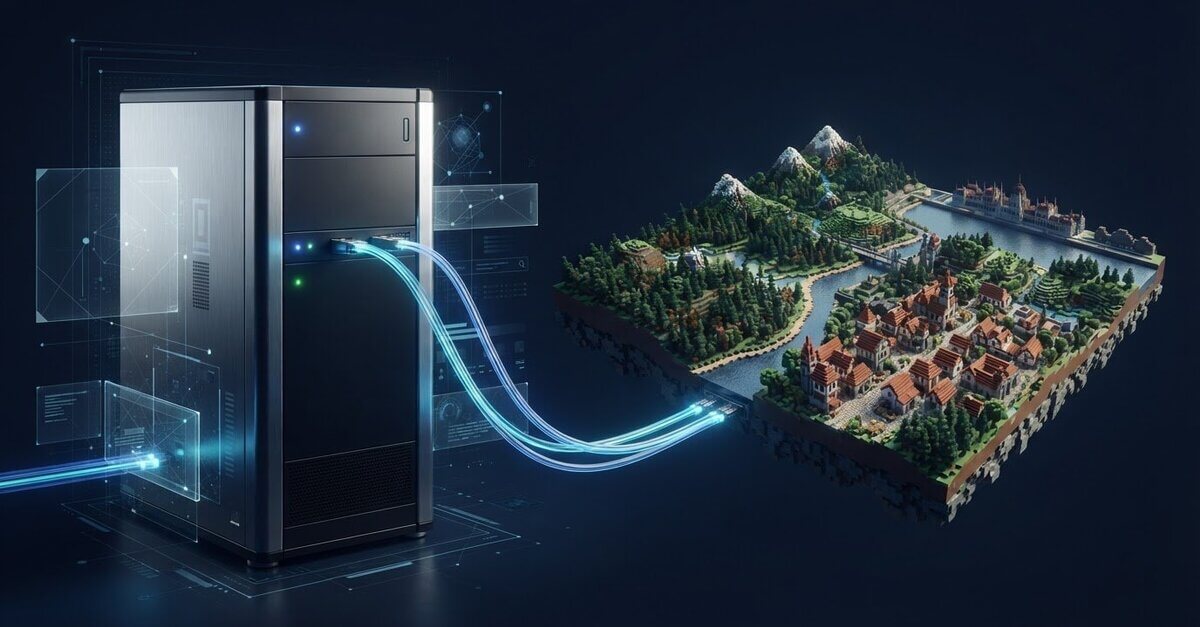
A VPS with more RAM does not in itself guarantee a stable Minecraft server. When choosing a VPS for a Minecraft server, as well as the number of players, the mods used and the size of the world, processor performance, network connectivity and the technical knowledge required to run the server are also important factors. For smaller communities, a local machine or a game server service may be sufficient, whilst greater freedom may require a fully customisable environment.
Before making a decision, assess the expected load and how much time you can devote to monitoring the server. As a guideline, a small, basic Minecraft server might require 2–4 GB of RAM, whilst larger modpacks may require considerably more memory. The actual load is influenced by player activity, server settings and the areas of the world that have been loaded.
In this guide, we’ll compare a local machine, a game server service and a VPS, before going through the main technical considerations for choosing and setting them up. We’ll also cover the operating system, the Java version, the server software and access security. This will enable you to tailor the environment to your intended use and avoid having to guess when sizing your setup.
Minecraft server on a VPS: when is it a better choice than a home computer?
A server environment that is constantly available removes one of the fundamental limitations of a home computer: you don’t need to keep your own computer switched on to access the online world, and your home internet connection doesn’t determine the server’s availability either. This is particularly handy if your friends play at different times. When making your choice, however, consider how much customisation you need and how much time you’re willing to spend on running the system.
Local machine, VPS or Minecraft Realms?
A local machine can be a good starting point for testing or casual gaming. The server runs on the same computer that you can use for other tasks. If the machine shuts down or restarts, or if your home internet connection is interrupted, players will be unable to access the game world. Performance may also be affected by other programs running on the computer.
Minecraft Realms is a convenient, game-related subscription service where you have fewer server management tasks to deal with. In return, you have less server-side freedom than on a VPS. If you require custom software, detailed configurations or your own resource planning, Realms may be more restrictive. This general overview of Minecraft servers will help you understand the differences between server environments and how they are managed.
A VPS provides a separate virtual environment that can be managed remotely. You can choose your operating system, install the necessary software and customise the settings to suit your own needs. KVM-based virtualisation provides an isolated virtual server environment. When making your choice, the AMD EPYC processor and NVMe SSD storage are important technical considerations, but these do not in themselves guarantee a specific level of gaming performance.
When is a Minecraft server VPS the right choice?
A Minecraft server VPS may be the right choice if you want a world that is regularly accessible to multiple players and if having control over the server settings is important to you. In a modded environment, it can be particularly useful to be able to tailor the software and configuration to your own needs. When planning, take into account the number of players, the mods, and the size and activity level of the world. These factors together determine the resource requirements, so there is no single package size that is suitable for every use case.
aWh’s AMD Epyc KVM VPS is built on NVMe SSD storage, redundant storage and built-in DDoS protection. Protection can be an important consideration for a publicly accessible server, but it is no substitute for secure access management and updates. When selecting the right KVM VPS environment, compare the resources with your expected workload and also consider how much server administration you are willing to undertake.
A VPS is not a ready-made Minecraft server, and does not involve the installation or managed operation of the game. It is your responsibility to install, update and configure the server software, secure access and back up your world data. If you are looking for a solution that requires minimal configuration, Realms may be a better option. If you want full control and flexible configuration, a VPS offers greater freedom.
Minecraft VPS resource requirements: what puts a strain on the server?
The load on a Minecraft server is not determined by a single factor. It depends on the game version and release, the server software, the settings, and also on how actively players are exploring the world. When choosing a VPS for a Minecraft server, you should therefore first assess the expected usage, then monitor the server’s performance under actual load during a trial run.
There are no universal resource recommendations that apply to all Minecraft servers, as player activity, mods, the server version and the size of the world all combine to determine the load.
Java Edition, Bedrock Edition and server versions
The Java Edition and Bedrock Edition require different server software, installation environments and compatibility requirements. For the Java Edition, the Java version of the runtime environment must match the selected Minecraft version, whilst the Bedrock Edition has its own dedicated server edition. The exact requirements may vary by version, so please check the current documentation for the server version before installation. This also applies to modified server software: please check that any plugins are compatible with your chosen edition.
The impact of players, mods and world files
The simultaneous activity of players directly affects resource usage. If everyone is building in one place, fewer new areas need to be loaded than when players are scattered across the map exploring it. Creating and loading new areas can increase the load on the processor and memory. The demands of mods and add-ons also vary: a simple command add-on does not necessarily place the same load on the system as a complex mod pack or numerous active in-game elements.
The main resources perform various tasks:
- Processor: responsible for running game simulations and processing world events. As well as the number of cores, the performance of each individual core can also be a key factor.
- Memory: used by the server process, loaded areas, players and add-ons. As a guideline, a basic server designed for 1–10 players requires 2–4 GB of RAM; larger mod packs may require 8–16 GB or more.
- Storage space: taken up by website files, logs and backups. As the world grows, more space may be needed for backups.
- Network connection: this affects the smooth flow of traffic between players and the server. If you experience lag, check not only the quality of the connection but also the server load.
During the trial run, monitor memory and CPU usage, disk usage and logs. Test the system during quiet periods, and then again when several players are moving around or loading new areas at the same time. This will help you identify any bottlenecks, so you don’t have to size the server based purely on estimates. The technical specifications of KVM VPS environments help you compare the available resources, whilst your own trial run will reveal the actual requirements of the Minecraft server.
Choosing a VPS for a Minecraft server: a comparison based on your own needs
When choosing the right VPS, don’t just look at the amount of memory. The operating system, control over the server, future scalability and the method of administration all determine how well the environment suits your Minecraft plans. When choosing a VPS for a Minecraft server, it’s worth considering two decisions separately: first, the virtual server environment; and second, the Minecraft edition, server software and settings.
Linux VPS or Windows VPS for a Minecraft server?
Linux VPS is based on command-line management, so it may be suitable if you are confident using a remote terminal and commands. The Windows VPS offers a graphical user interface for administering Windows Server, but updates and system settings must still be managed via the interface. When making your choice, consider which system you have experience with and how much manual management you are willing to undertake.
| Criteria | Linux VPS | Windows VPS |
|---|---|---|
| Operating system | Linux-based server environment | Windows Server |
| Management method | Typically command-line | Can be managed using the operating system’s tools |
| Control | Independent system and server configuration | Independent system and server configuration |
| Scalability | This depends on the resources allocated to the VPS and the capabilities of the service | This depends on the resources allocated to the VPS and the capabilities of the service |
| Administration | Requires knowledge of Linux | Requires knowledge of Windows Server |
Which technical specifications are worth comparing?
When selecting a server environment, consider the planned game world, any modifications and the expected activity of players. Based on these factors, estimate your requirements for processing power, memory and storage space. A larger game world and more backups may require more disk space, whilst mods can increase the load on memory and the processor. The number of players alone is not a sufficient basis for sizing.
NVMe SSDs provide fast storage, making them a relevant technical consideration when storing world files and the data required for server operation. It is also worth taking the network environment into account, particularly if the server is to be accessed remotely. AMD EPYC processors and KVM-based virtualisation help in assessing the technical specifications of a VPS, but do not in themselves guarantee a specific gaming experience.
Selecting a VPS does not automatically install or configure Minecraft. The server software, the appropriate Java environment, the plugins and the in-game settings all require separate configuration. To allow for future expansion, you should also plan how you will monitor the load and how the allocated resources can be adjusted. You can compare the technical specifications of aWh’s KVM VPS range against these criteria.
Installing a Minecraft server on a VPS: preparation and set-up
Treat the installation as a three-step process: log in to the VPS, prepare the operating system, then install and check the Minecraft server. The necessary commands, execution environments and file names depend on the edition and server variant you have chosen. Follow the current documentation, not a command line intended for a different version.
Preparing the VPS and configuring the server files
You should choose Linux if you are confident using the command line and remote terminal connections. With a Windows VPS, you can work using the Windows Server administration tools. In both cases, treat accessing the VPS, configuring the operating system and installing Minecraft as separate tasks. The virtual server environment does not mean that the game server is pre-installed or pre-configured.
- Choose your operating system. Decide between Linux and Windows based on your experience with the software and the documentation for your chosen version of Minecraft. Also specify the version of the game you’ve chosen so that you can tailor the runtime environment to it.
- Log in securely. Use the remote access provided for your VPS, and only grant administrator privileges for the tasks that are necessary. Update the system and any installed components to ensure there is no outdated software on the server.
- Set up your environment. On Linux, check for operating system updates, then install the version of Java required by your version of Minecraft. Minecraft version 26.1 and later require Java 25. Other versions may have different Java requirements, so please check the documentation before installation.
- Install the server files. Download the server software for your chosen edition and keep the files required to run it, the configuration and the global data in a separate folder. Adjust the memory limit to suit the available resources. For example, the
-Xms4G -Xmx4Gstartup settings set both the initial and maximum memory values to 4 GB. Do not apply this automatically to all VPS instances.
Start-up, testing and backup procedures
After the initial start-up, check the log. Verify that the server has loaded the configuration without errors and created the necessary files. If you are prompted to accept the terms of use for the release, follow the instructions in the documentation. Then try to connect, check that the website loads correctly, and test your chosen modifications and plugins on a small scale.
Only allow necessary access through the firewall. Carry out server updates as planned, and back up the configuration and world files beforehand. Create regular, restorable backups, and check from time to time that data can be restored from them. The location of the backup matters too: do not store the sole copy of your data exclusively on the VPS on which the server is running.
Once you’ve assessed your resource requirements and operational tasks, take a look at aWh’s range of KVM VPS plans and choose the environment that best suits your planned Minecraft server.
AWh VPS for Minecraft servers: hardware basics and next steps
When selecting the right Minecraft server VPS, ensure that the hardware specifications are tailored to the anticipated load. aWh’s KVM VPS, built on AMD EPYC processors, provides a fully customisable server environment. The infrastructure offers NVMe SSD storage, redundant storage and built-in DDoS protection. These are important factors to consider, but they do not, on their own, guarantee a specific gaming experience or uninterrupted operation.
Technical specifications of aWh KVM VPS
KVM-based virtualisation provides a separate virtual server environment in which you can choose between Linux or Windows operating systems and install the programs required for your Minecraft server. AMD EPYC processors provide the computing power for the VPS. Don’t just consider the processor type: the game version, active mods, the size of the world and the actual activity of the players all combine to determine the required capacity.
NVMe SSD storage is a storage technology that ensures fast data access, whilst redundant storage forms part of the infrastructure. Regardless of this, you should create your own restorable backups of your Minecraft world files. Built-in DDoS protection is one element of defence against network attacks, but it does not guarantee complete immunity from attacks, nor does it replace secure access management or regular updates.
Operating a VPS and planning your launch
Choose the operating system that best suits your system administration experience. A Linux VPS requires command-line management, whilst a Windows VPS uses the Windows Server administration environment. In both cases, you are responsible for installing and configuring the Minecraft server, selecting the appropriate runtime environment, applying updates, securing access and performing backups of world files. The VPS does not operate as a pre-installed or managed Minecraft server.
Before you begin, decide which version of Minecraft and server software you wish to use, then check the documentation for the required environment. Next, configure access and the firewall, carry out a test run, review the logs and test the connection. Initial monitoring may reveal whether the memory, processor or storage capacity will need to be adjusted at a later stage.
aWh’s support team is available 24 hours a day. To view an overview of the technical specifications and available environments for VPS, please see the information on aWh’s VPS options.
Plan your next step
Running a Minecraft server on a VPS will get off to a good start if your technical choices align with your objectives and you have thought through the operational tasks in advance. Before launching your shared world, decide which version of the game you wish to use, assess the expected load, and establish a routine for updates, access management and backups. You can then fine-tune your resource allocation based on the experience gained during the trial run.
aWh’s KVM VPS environment features AMD EPYC processors, NVMe SSD storage, redundant storage and DDoS protection. These provide the technical foundation for custom configuration, but the installation and ongoing management of Minecraft remain your responsibility. To find out more about the environment, take a look at aWh’s VPS solutions.
Plan your Minecraft server’s resources and browse aWh’s range of KVM VPS plans to choose the right environment.
Frequently asked questions about running a Minecraft server on a VPS
How many players can a Minecraft server handle on a VPS?
There is no single player count that applies to all setups, as the load is determined by a combination of player behaviour and server configuration. Do not estimate the capacity of your Minecraft server VPS solely on the basis of the number of concurrent players. Test the server in situations where players are simultaneously exploring new areas, fighting or using mods. You can adjust the resources based on the observed load.
Can a VPS be used instead of Minecraft Realms?
Yes, if it’s important to you to manage your server’s settings and software environment yourself. Realms offers a simpler, ready-made solution, whereas with a VPS, you’re responsible for the server software, updates and monitoring its operation. For example, if you’re running a community world that requires a custom plugin, a VPS can offer greater freedom in terms of configuration. If you’d prefer minimal administration, Realms may be the more convenient option.
Is it possible to run multiple Minecraft worlds on a VPS?
Yes, but the separate server processes share the VPS’s resources. Each world can use memory, processor power and hosting, particularly when players are active at the same time. Start with a single environment, then gradually add further worlds. After each expansion, check the logs and resource usage so you can see whether the entire configuration is working properly.
Can an existing Minecraft world be transferred to a VPS?
Yes, the world can be migrated if you also transfer the world data associated with the server version and the necessary configuration files. Before the migration, check that the new environment is using the same version of Minecraft and a compatible server program. After copying the files, check that the world appears in the expected location, that the settings have been retained, and that the mods used by players are loading.
Which operating system should I choose for a Minecraft server VPS?
Choose a system that you can manage safely and confidently, and which meets the requirements of the server software. If you have used Linux before, you may be familiar with command-line administration; for a Windows VPS, you will need to use the Windows Server management method. Before making a decision, check the documentation for your chosen version of Minecraft, the required runtime environment, and how you will manage updates and access.
Why can’t my friends see my Minecraft server?
Common causes include a stopped server process, incorrect connection details or a firewall rule restricting network access. First, check the log to see if the server has started, then make sure your friends are using the correct address and Minecraft edition. If the server is running but is still unavailable, check your network and firewall settings. Only modify rules whose effects you understand.