 English
 Magyar

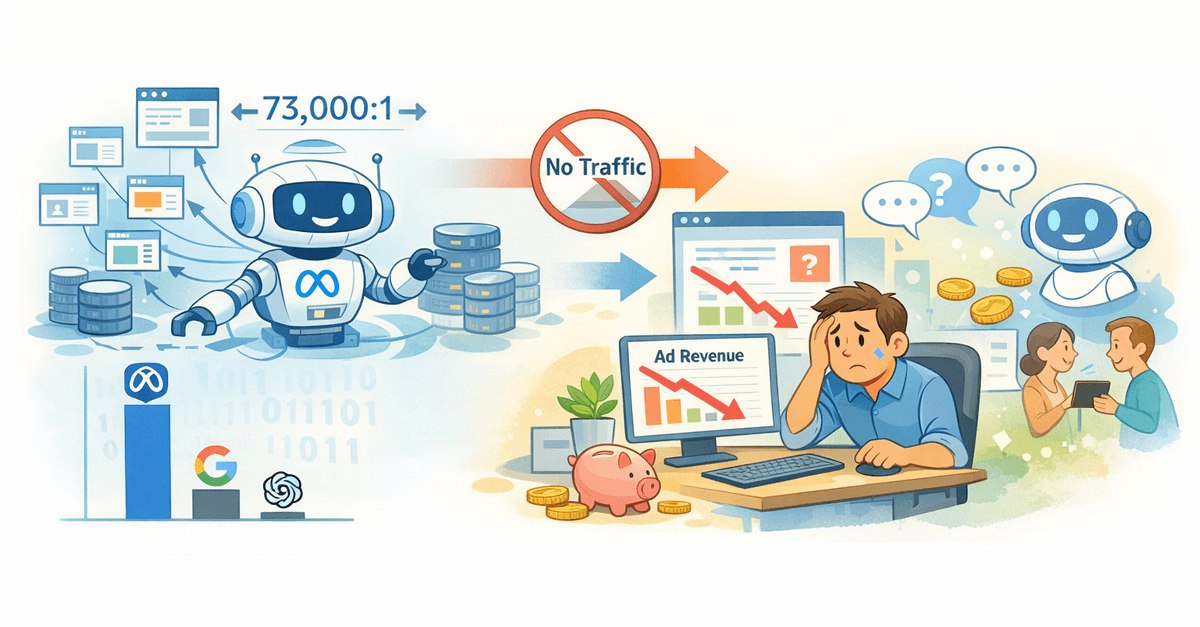
Meta AI crawling refers to the automated process that Meta uses to access and index website content for the purpose of training its artificial intelligence models. For website owners who rely on advertising revenue, understanding how to block Meta AI is no longer merely an optional consideration. It is a business decision with serious financial implications.
The stakes are high. According to Cloudflare’s data from July 2025, Meta’s AI crawlers alone generate 52 per cent of all AI crawler traffic, which is more than double the combined traffic of Google and OpenAI. Meta’s crawl-to-referral ratio is approximately 73,000:1, which means that Meta extracts an extraordinary amount of content from websites whilst sending virtually no traffic in return.
This imbalance fundamentally disrupts the traditional relationship between content creators and search engines. Historically, search engines have indexed content with the aim of generating traffic. AI crawlers use your content to train models that may actually reduce your traffic by feeding response engines that prevent users from clicking through to your website.
If you’re considering whether blocking is the right strategy for your situation, our comprehensive publisher’s guide to AI crawlers covers whether to block, allow or optimise for maximum revenue.
The world of meta-search engines: Get to know the bots
Meta operates several web crawlers, and the differences between them are actually quite significant. If you’re aware of what each bot is used for, you can avoid it accidentally ruining your social media presence whilst trying to protect your content from being used to train artificial intelligence (AI). The company was significantly less transparent about its AI-related crawler activities than other tech giants. In August 2024, Meta quietly launched ‘meta-externalagent’ without any official announcement, leaving publishers struggling to understand what this new bot was actually doing on their servers.
An introduction to Meta’s main search engine bots
Here’s what you need to know about the currently active Meta-robots.
| Search engine name | User Agent String | Main objective | Used for AI training? | The impact of a ban |
|---|---|---|---|---|
| facebookexternalhit | facebookexternalhit/1.1 | Creating a link preview for sharing on Facebook, Instagram and Messenger | Unclear (possibly dual-use) | Disabling it causes difficulties when sharing Facebook posts; the preview image fails to load. |
| meta-externalagent | meta-externalagent/1.1 | Training artificial intelligence models and indexing content | Yes (confirmed) | AI training is being suspended; this will not affect link previews |
| FacebookBot | FacebookBot/1.0 | Speech recognition and training of language models | Yes | The impact on users is minimal |
| Meta-ExternalFetcher | Meta-ExternalFetcher/1.0 | Tasks carried out by an AI assistant | Yes | It affects Meta AI’s search functions |
The key difference here lies between ‘facebookexternalhit’ and ‘meta-externalagent’. The former has been around for years and generates those neat link previews when someone shares your article on Facebook. The latter, meanwhile, is Meta’s own search bot, specialising in artificial intelligence.
How to block Meta AI using the robots.txt file
The robots.txt file remains the most widely used method for communicating preferences regarding website crawling to search engine bots. Adding Meta-specific instructions to this file takes around 30 seconds and requires no technical expertise. This method is the easiest solution for website owners who wish to prevent Meta AI from accessing their website.
Basic Meta AI-blocking instructions
If you want to block Meta’s AI training bots whilst still retaining the link preview feature, add these lines to your robots.txt file:
# Block the Meta AI crawlers
User-agent: meta-externalagent
Disallow: /

User-agent: Meta-ExternalAgent
Disallow: /

User-agent: FacebookBot
Disallow: /

User-agent: Meta-ExternalFetcher
Disallow: /
This setting blocks AI-based search bots whilst allowing the link-preview search bot to carry out its task. Your shared links will still look good on Facebook and Instagram.
Total blocking: blocking all access to Meta
Some website owners do not wish to use any Meta search bots. If this applies to you, here is a comprehensive blocking code that you can use to stop all Meta AI and social media search bots:
User-agent: facebookexternalhit
Disallow: /

User-agent: meta-externalagent
Disallow: /

User-agent: Meta-ExternalAgent
Disallow: /

User-agent: FacebookBot
Disallow: /

User-agent: Meta-ExternalFetcher
Disallow: /

User-agent: Facebot
Disallow: /
Please note: if you do this, your shared links will look terrible. No images, no descriptions – just bare URLs. If traffic from social media is important for your advertising revenue, think carefully before taking such a drastic step.
The trust issue with the robots.txt file
This is where the problems begin. ‘The robots.txt file is essentially a trust-based system’, and several website operators have reported that Meta’s search engine bots do not always respect these instructions. Some webmasters have reported that the ‘meta-externalagent’ continued to crawl their websites despite explicit prohibitions in the robots.txt file. One website operator reported receiving more than 148,000 requests in a single day from Meta’s AI-powered search bot, which effectively resulted in a denial-of-service situation. The problem with compliance means that the robots.txt file is not necessarily sufficient. Server-level intervention may be required to effectively block Meta AI search bots. To provide a comprehensive overview of all available blocking methods, our technical guide on blocking AI bots from your website covers everything from basic instructions to advanced firewall configurations.
Server-level blocking: when robots.txt isn’t enough
For those who want guaranteed protection rather than polite requests, server configuration ensures effective enforcement. These methods return error messages to search engine bots, rather than relying on them to read and comply with the robots.txt file.
Apache .htaccess configuration
To block Meta AI search bots at server level, enter these lines into the .htaccess file:
RewriteEngine On

# Block meta-externalagent
RewriteCond %{HTTP_USER_AGENT} meta-externalagent [NC]
RewriteRule .* - [F,L]

# Block FacebookBot
RewriteCond %{HTTP_USER_AGENT} FacebookBot [NC]
RewriteRule .* - [F,L]

# Block Meta-ExternalFetcher
RewriteCond %{HTTP_USER_AGENT} Meta-ExternalFetcher [NC]
RewriteRule .* - [F,L]
Or, to put it simply:
RewriteEngine On
RewriteCond %{HTTP_USER_AGENT} ^.*(meta-externalagent|FacebookBot|Meta-ExternalFetcher).*$ [NC]
RewriteRule .* - [F,L]
This setting returns a 403 ‘Forbidden’ error for all requests that match these user agents.
Nginx configuration
For Nginx servers, enter the following in the server block or in a separate configuration file:
if ($http_user_agent ~* "(meta-externalagent|FacebookBot|Meta-ExternalFetcher)") {
    return 403;
}
Some system administrators prefer a more comprehensive regular expression that recognises the various variants:
if ($http_user_agent ~* "(meta-externalagent|Meta-ExternalAgent|FacebookBot|Meta-ExternalFetcher|facebookexternalhit)") {
    return 403;
}
Cloudflare users: A one-click solution
Cloudflare introduced its one-click AI bot-blocking feature in July 2024, and over a million websites have already activated it. This solution requires no technical configuration.
Go to the ‘Overview’ menu in your Cloudflare dashboard. Enable the ‘Control AI crawlers’ option to automatically block known AI training bots – including Meta’s crawlers, amongst others.
Cloudflare also offers detailed configuration options if you wish to block certain bots whilst allowing others. The platform also provides managed robots.txt features, which automatically add the appropriate instructions for AI crawlers under the ‘AI Crawl Control’ menu item.
Alternative strategies for protecting content
Beyond blocking, website owners have other options for managing access by AI-based search bots. Some website owners are realising that, rather than blocking AI entirely, it is better to encourage AI tools to link to their website as an alternative strategy, which can actually generate traffic rather than preventing access.
Using meta tags
Add these experimental meta tags to the page header. These indicate to AI-powered search engine bots that you do not want your content to be used for machine learning:
<meta name="robots" content="noai, noimageai">
These tags are not standardised and their use is voluntary, but they represent a new level of communication with artificial intelligence systems.