 English
 Magyar
 Deutsch
 Slovenščina


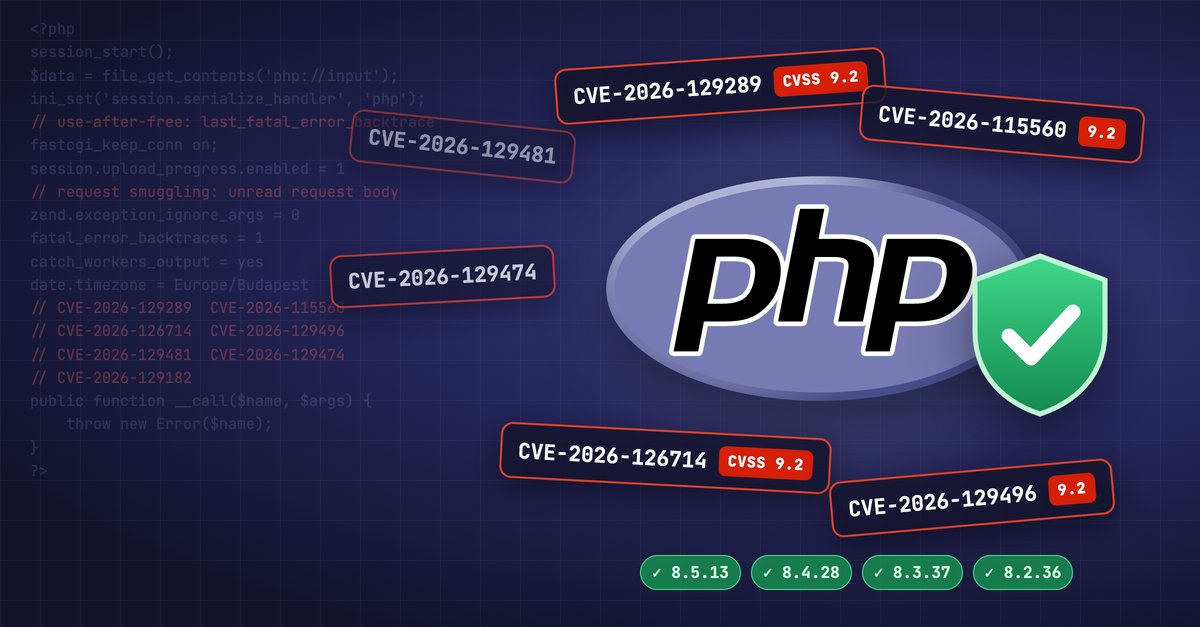
On November 19 the PHP developers released PHP 8.5.13, 8.4.28, 8.3.37 and 8.2.36. The release fixes 17 security flaws, seven of them rated critical (9.2 points under CVSS 4.0). Four of the critical flaws affect every supported PHP branch from 8.2 to 8.5. PHP 8.6.0 came out the same day and already includes the fixes.
Our servers are already protected: we installed the fixed PHP packages in the early hours of November 20 on all our own servers and on every client server we manage. If your hosting is with us, or we run your server, there is nothing you need to do.
How dangerous is it?
The PHP security team said in its advance notice that the critical flaws need non-default settings or less common setups. Exploiting most of them takes a particular PHP-FPM, session or error logging setting, often together with a certain structure of the application code. On the day of the release none of the flaws was in CISA’s catalog of actively exploited vulnerabilities (KEV), and no attacks in the wild had been reported.
That is no reason to wait, though: a “rare setting” is not so rare across many thousands of servers, and the update is the only fix that closes all seven critical flaws.
This release came a month after October’s PHP2Shell vulnerability and partly continues it: once researchers took a close look at those parts of PHP’s memory and session handling, more flaws turned up.
The seven critical flaws
| CVE | What it allows | Affected PHP branches | What exploiting it needs |
|---|---|---|---|
| CVE-2026-129289 | Request smuggling through PHP-FPM: PHP code execution without logging in | 8.2–8.5 | The web server reuses the PHP-FPM connection (nginx fastcgi_keep_conn on, Apache enablereuse=on), and the application does not read the whole request body |
| CVE-2026-115560 | Code execution through the session upload progress feature | 8.2–8.5 | Upload progress turned on, mismatched session serializer settings, and suitable classes in the application |
| CVE-2026-126714 | Code execution through partially overwritten session files | 8.2–8.5 | File-based sessions (the default), an interrupted write, attacker influence over the session data |
| CVE-2026-129496 | Use of freed memory (use-after-free) in the timezone cache: crash or code execution | 8.2–8.5 | A PHP warning logged at startup, error log written to a file |
| CVE-2026-129481 | Use-after-free after an interrupted session shutdown | 8.3–8.5 | The application’s session shutdown can be made to fail |
| CVE-2026-129474 | Use-after-free in the backtrace of magic method calls: code execution | 8.5 | fatal_error_backtraces=1 and zend.exception_ignore_args=0, a reachable __call() or __callStatic() method |
| CVE-2026-129182 | Use-after-free in the fatal error backtrace after process shutdown | 8.5 | A fatal error during shutdown work |
The most important ones in brief
PHP-FPM request smuggling (CVE-2026-129289). If the web server (nginx, for example) keeps its connection to PHP-FPM open between requests, and the application opens the request body but does not read all of it, PHP-FPM can take the leftover bytes for a new, separate request. With a cleverly crafted request an attacker can run their own PHP code this way, bypassing the web server’s routing. According to the GitHub advisory, the faulty behaviour has been in the code since PHP 5.6. By default nginx and Apache close the connection after every request, and the demonstrated attack does not work then.
The “third PHP2Shell flaw” (CVE-2026-115560). The PHP team published a notice about it on October 23 and advised turning off the upload progress feature until the next regular release. The flaw appears where two applications or settings write and read the same session in different formats, so data sent by the attacker turns into an object. In the fixed PHP, session.upload_progress.enabled is off by default. If a configuration file turns it on explicitly, though, that overrides the new default.
Timezone cache (CVE-2026-129496). If PHP logs a warning at startup (because of an invalid date.timezone value or a deprecated setting, for example), the first request of a fresh PHP process can read memory that has already been freed. A special request can make PHP-FPM and mod_php processes crash this way. The flaw was found by Sebastian Bergmann, the author of PHPUnit.
The other fixed flaws
Four flaws are rated high:
- CVE-2026-129291: code running in one PHP-FPM process can take control of the PHP-FPM master process, which usually runs as root. It needs the
catch_workers_outputsetting turned on. This flaw matters because on shared hosting many customers run their own PHP code on the same server. - CVE-2026-128064: PHP sends HTTPS and FTPS requests unencrypted if the URL scheme contains a capital “S” (
HTTPS://, for example). - CVE-2026-127960: denial of service (DoS) through folded, multi-line HTTP response headers.
- CVE-2026-128090: bypass of the OpenSSL signature of PHAR archives.
Six more flaws are rated medium (affecting PHP-CGI, DOM, SOAP and the PHP-FPM status page, among others), and PHP 8.5.13 also fixes a flaw in the bundled uriparser library (CVE-2026-48841). That is why some sources write about 18 fixed flaws. The full list is in the PHP 8 changelog.
Affected versions and fixes
| PHP branch | Fixed version from php.net | Comment |
|---|---|---|
| 8.5 | 8.5.13 | |
| 8.4 | 8.4.28 | |
| 8.3 | 8.3.37 | |
| 8.2 | 8.2.36 | php.net support ends on December 31, 2026 |
| 8.1 and earlier | no official release | CloudLinux, TuxCare, Ondřej Surý’s repository and other vendors release backported fixes |
| 8.6 | 8.6.0 | released on November 19, already fixed |
php.net does not fix the older, unsupported PHP branches, but that does not mean they stay unprotected on the servers. On the evening of November 19 CloudLinux released the fix for every alt-php (PHP Selector, 5.2–8.5) and ea-php (cPanel EasyApache 4, 5.2–8.5) package, backported to the old versions. In the long run a supported version is still the right choice: we wrote about the support periods of older PHP versions in our article on the end of PHP 8.2 support.
Why does the version number remain the same?
On the 8.2–8.5 branches the fixed package carries PHP’s new version number (8.5.13, for example). On the older branches (8.1 and earlier), however, the fix is backported: the PHP version number does not change (it stays 7.4.33, for example), only the package’s release number goes up.
Because of this, checkers that only look at the PHP version number can report a vulnerability by mistake. If a WordPress plugin or an online scanner says that your site’s PHP is outdated and vulnerable, on the older branches that does not automatically mean the fix is missing. If you see such an alert, write to us and we will confirm the status.
What have we done?
We installed the fixed PHP packages in the early hours of today:
- on all our own servers, that is, the cPanel hosting, WordPress hosting and web hosting servers,
- on every client server we manage, such as managed VPSs.
The fix only takes effect once the PHP processes are restarted. On the cPanel servers this happens automatically when PHP is updated, so the fixed PHP took effect right after the installation. On the cPanel servers the PHP 5.2–8.5 versions of PHP Selector (alt-php) and the PHP of EasyApache 4 (ea-php) were updated too, so you are protected even if you use an older PHP version.
What can you do?
If your hosting is with us, or we manage your server
There is nothing you need to do. The flaws were in PHP, not in your website, so the fix has to be installed by whoever runs the server, and we have already done that. Updating WordPress or another CMS does not fix these flaws, but an up-to-date CMS and plugins matter regardless.
If you still use an older PHP version, now is a good time to plan the move to a supported version (8.3 or newer), if your site is compatible with it. Make a backup before the switch, and test the site afterwards. We show how to change the PHP version in cPanel in a separate article.
If you run your own VPS or server
If you manage PHP yourself on your KVM VPS or dedicated server (with us or elsewhere), the update is your job.
1. Update the PHP packages and restart PHP. Update every PHP version that runs on the server: updating one version does not touch the others.
# AlmaLinux, Rocky Linux, RHEL (system PHP or Remi's PHP)
dnf upgrade --refresh 'php*'
systemctl restart php-fpm

# Debian, Ubuntu (system PHP or Ondřej Surý's PHP, here with 8.4 as the example)
apt update && apt upgrade
systemctl restart php8.4-fpm

# cPanel / EasyApache 4
dnf upgrade --refresh 'ea-php*'
/scripts/restartsrv_httpd
/scripts/restartsrv_apache_php_fpm

# CloudLinux alt-php (PHP Selector)
dnf upgrade --refresh 'alt-php*'
With the LiteSpeed web server, restarting the web server does not always stop the running lsphp processes, so stop those too (pkill lsphp). The general steps of a system update and how to set up automatic security updates are in our article on dnf and apt updates.
2. Check the version, on the web too. The command-line PHP (php -v) and the PHP-FPM that serves your websites can be different versions, so also check the web PHP version on a phpinfo() page (and delete it afterwards). On a cPanel server, for example:
rpm -q ea-php85-php-cli    # the fixed build: 8.5.13-1 or later
rpm -q alt-php85-common    # the fixed build: 8.5.13-1 or later
3. If you cannot update yet, reduce the risk. These settings are only stopgaps and do not replace the update:
- Turn off PHP-FPM connection reuse: nginx should not have
fastcgi_keep_conn on, nor Apacheenablereuse=on(both are off by default). You can check it like this:grep -rn 'fastcgi_keep_conn\|enablereuse' /etc/nginx /etc/httpd /etc/apache2 2>/dev/null - Set
session.upload_progress.enabled = 0inphp.inior in the PHP-FPM pool (not in the application code or in.user.ini), if your sites do not use the upload progress feature. - On PHP 8.5, set
zend.exception_ignore_args = 1andfatal_error_backtraces = 0. - In the PHP-FPM pools, set
catch_workers_output = no. - Fix the configuration errors that make PHP log a warning at startup, then restart PHP-FPM.
After changing the settings, restart every PHP process, and check on a phpinfo() page that the value really applies.
Beware of “urgent update” emails
News like this can bring a wave of phishing emails that refer to a security update. We never ask for your password by email, and we don’t need your help to update our servers.
Timeline
Times are in Central European Time (CET).
| Date | Event |
|---|---|
| 2026-10-23 | The PHP team publishes a notice about the flaw in the upload progress feature (CVE-2026-115560) and advises the session.upload_progress.enabled=0 setting until the next regular release. |
| 2026-11-18 | The PHP security team announces the next day’s release in advance: it affects every supported version, and the most severe flaws are critical. |
| 2026-11-19 15:00–15:30 | PHP 8.5.13, 8.4.28, 8.3.37 and 8.2.36 are released, along with PHP 8.6.0. |
| 2026-11-19 16:26 | The first fixed CloudLinux alt-php and ea-php packages are in the stable repositories. |
| 2026-11-19 18:21 | The fixed alt-php82–85 packages are available for every CloudLinux 7, 8 and 9 system. |
| 2026-11-19 20:33 | The fixed ea-php52–ea-php85 packages are all available. |
| 2026-11-19 22:22 | CloudLinux has released all fixed packages, including the backported fixes of the old alt-php versions, the alt-php and ea-php packages for Ubuntu 22.04 and the TuxCare packages. |
| 2026-11-20 01:30–02:30 | The fixed PHP packages are installed on the cPanel and WordPress hosting servers and on the client servers we manage. |
| 2026-11-20 around 03:00 | The fixed PHP packages are installed on the web hosting (KeyHelp) servers as well. |
Frequently Asked Questions
Will this affect my WordPress site or my online shop? It can affect any PHP-based site if the server settings and the application code meet the conditions. The flaws are in PHP, the fix happens on the server, and it is already in place on our servers.
Is it enough to update WordPress or its plugins? No. The flaws are removed by fixing PHP; updating the CMS alone does not do it.
I use an older PHP version. Is that protected too? With us, yes, from PHP 5.2 on: CloudLinux released the backported fix for the older alt-php and ea-php versions (5.2–8.1) as well, and we installed those too. In the long run we still recommend moving to a supported version.
Do I need to change my passwords?
Without any suspicious sign it is not necessary. If you do see something suspicious on your site (unknown .php files, unknown administrators, unexpected redirects or foreign content), write to us, and do not delete anything before we have talked it through. We show how to change the cPanel password in a separate article.
Sources
- PHP.net news: the 8.5.13, 8.4.28, 8.3.37, 8.2.36 and 8.6.0 releases, advance notice
- PHP 8 changelog
- GitHub: GHSA-qc49-hpvq-g2w6, PHP-FPM request smuggling (CVE-2026-129289)
- CloudLinux: PHP Security Releases, November 2026
- PHP Architect: PHP’s November security release: seven critical fixes, explained
- BleepingComputer: PHP security updates fix 18 flaws, including critical RCE bugs
- Laravel Forge: PHP security advisory (November 2026)