 English
 Magyar


When you point your domain name to our name servers or anywhere else, the new settings do not take effect immediately everywhere. This is known as DNS propagation: DNS servers around the world keep the old nameserver data in their caches until its time-to-live (TTL) expires. This can take anywhere from a few minutes to 24–48 hours, and in rare cases up to 72 hours. During this time, some users will already see the website on the new hosting, whilst others will still see it on the old one.
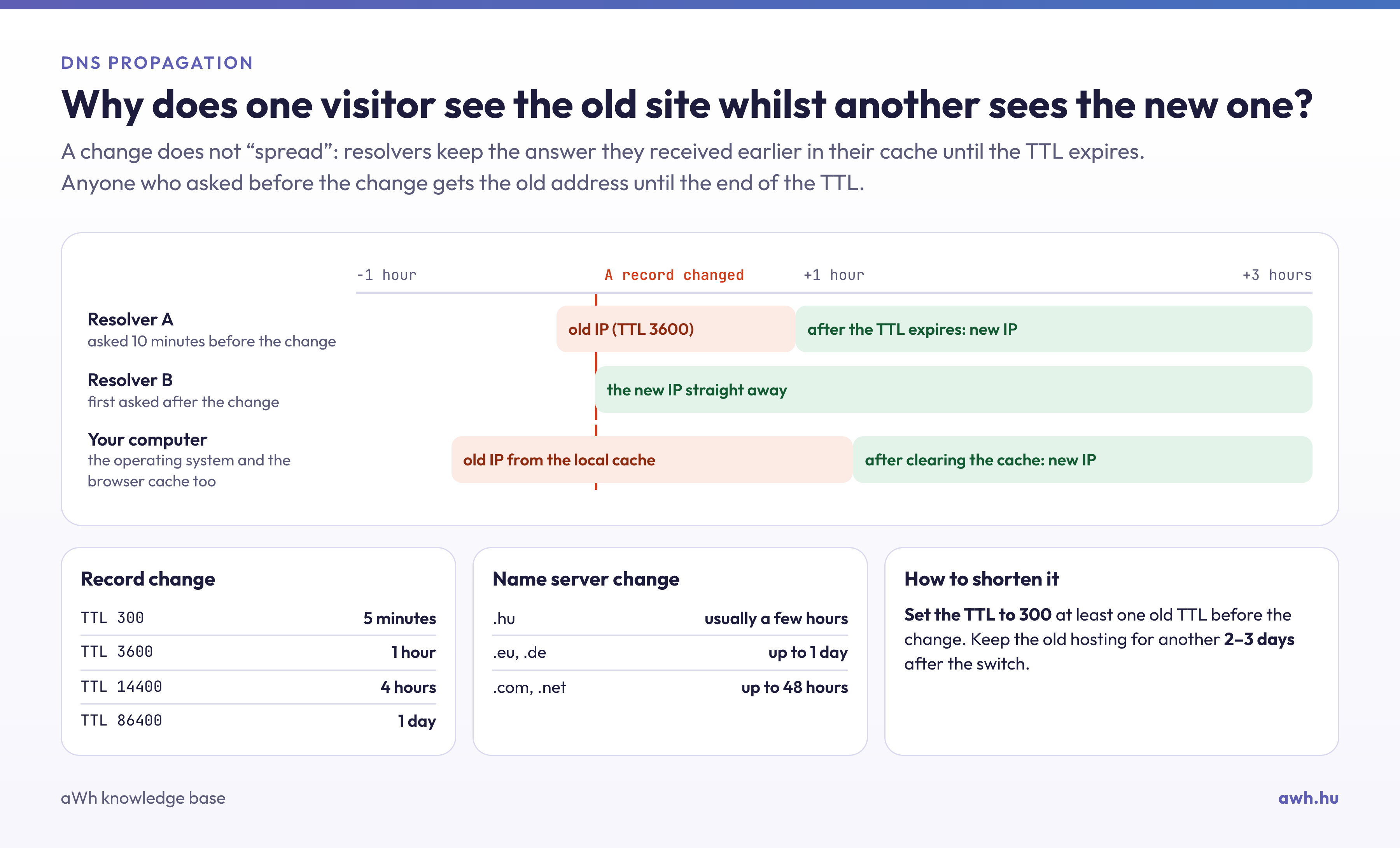
Check what the world sees
You can query the name servers set up for the domain via the command line:
dig NS pelda.hu +short
nslookup -type=NS pelda.hu
If the response already includes the new name servers, the changes have been made with the registrar and the registry; you simply need to wait for the caches to update. On online DNS checker websites (such as dnschecker.org), you can also see which servers in different parts of the world are already returning the new response.
What can you do whilst you wait?
- Clear your computer’s DNS cache and your browser’s cache; the steps are described in the article on clearing the local DNS cache.
- Try accessing it via mobile data or a different network: if it loads there, it simply means that your internet service provider’s cache is out of date.
- Plan ahead: in future, one day before the changeover, reduce the TTL value in the old zone (for example, to 300 seconds), so that the change propagates more quickly.
If it still isn’t working after a few days
If the site is still unavailable after 48 hours, it is unlikely to be a propagation issue. The most common causes are:
- Incorrectly entered name servers: please check that the names provided to the registrar are exactly the same, down to the last character.
- Missing zone on the new name servers: the domain will only work if the domain’s zone, containing the necessary records (A, MX), exists on the new name servers. For .hu domains, according to the Domain Registration Regulations, at least two name servers must respond authentically to the domain, and the zone’s SOA record must be error-free. If you have ordered your hosting from us, we will create the zone for you.
- DNSSEC: if DNSSEC was enabled with your previous provider and the old DS record remains in the registry, the resolvers will reject the responses from the new name servers. This is discussed in an article detailing problems caused by DNSSEC.
- Email is also affected: when changing name servers, the MX and other email records will also come from the new zone. If your email remains elsewhere, these records must also be added to the new zone.
If you’re unsure, please email us with your domain name and we’ll check where the problem lies.