 English
 Magyar


If you run your online shop on the Shopify platform but manage your domain name’s DNS zone via the cPanel interface, you will need to amend a few DNS records so that the domain displays your Shopify shop. You can keep your email service on the cPanel hosting: there is no need to change the MX records responsible for emails.
1. Changing DNS records in cPanel
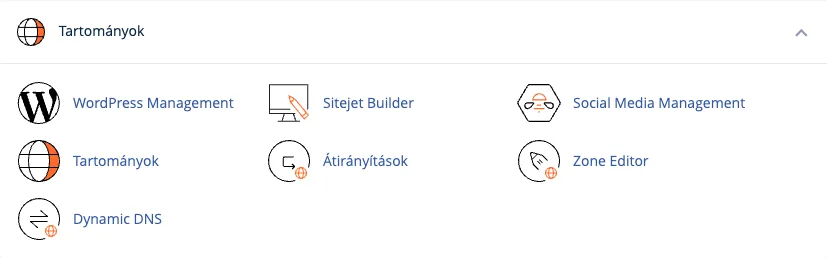
Log in to your cPanel control panel and, in the Domains section, open the Zone Editor.
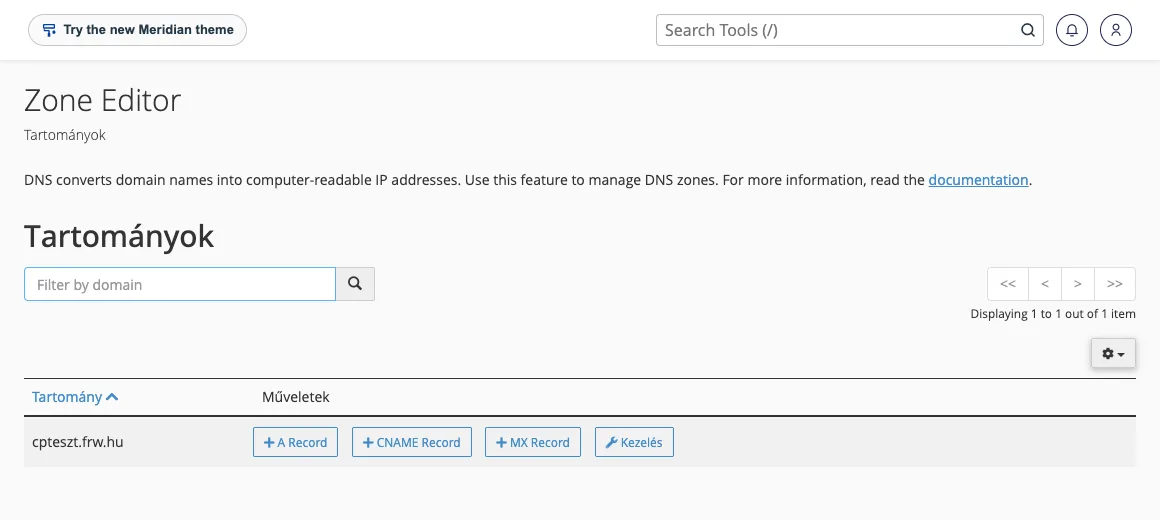
In the domain list, click the ‘Manage’ button next to the domain name you wish to use for your Shopify shop.
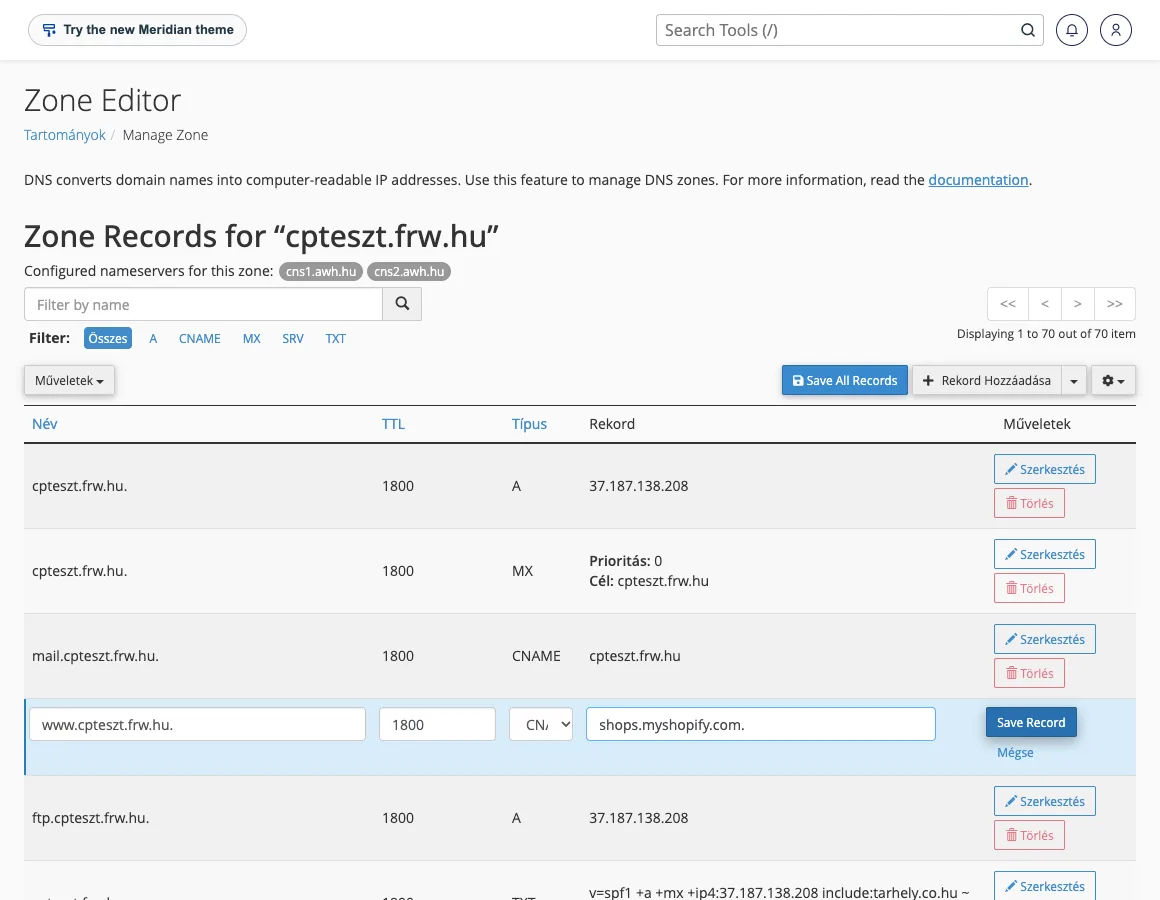
Of the DNS records, first amend the CNAME record named www so that its value is shops.myshopify.com. (including the full stop at the end). Click the ‘Save Record’ button to save the change.
Next, edit the domain’s own records (which contain only the domain name, also known as the @ record):
- The value of the A record should be
23.227.38.65, - The value of the AAAA record should be
2620:0127:f00f:5::(if the interface does not accept this, use the full format:2620:0127:f00f:0005:0000:0000:0000:0000).
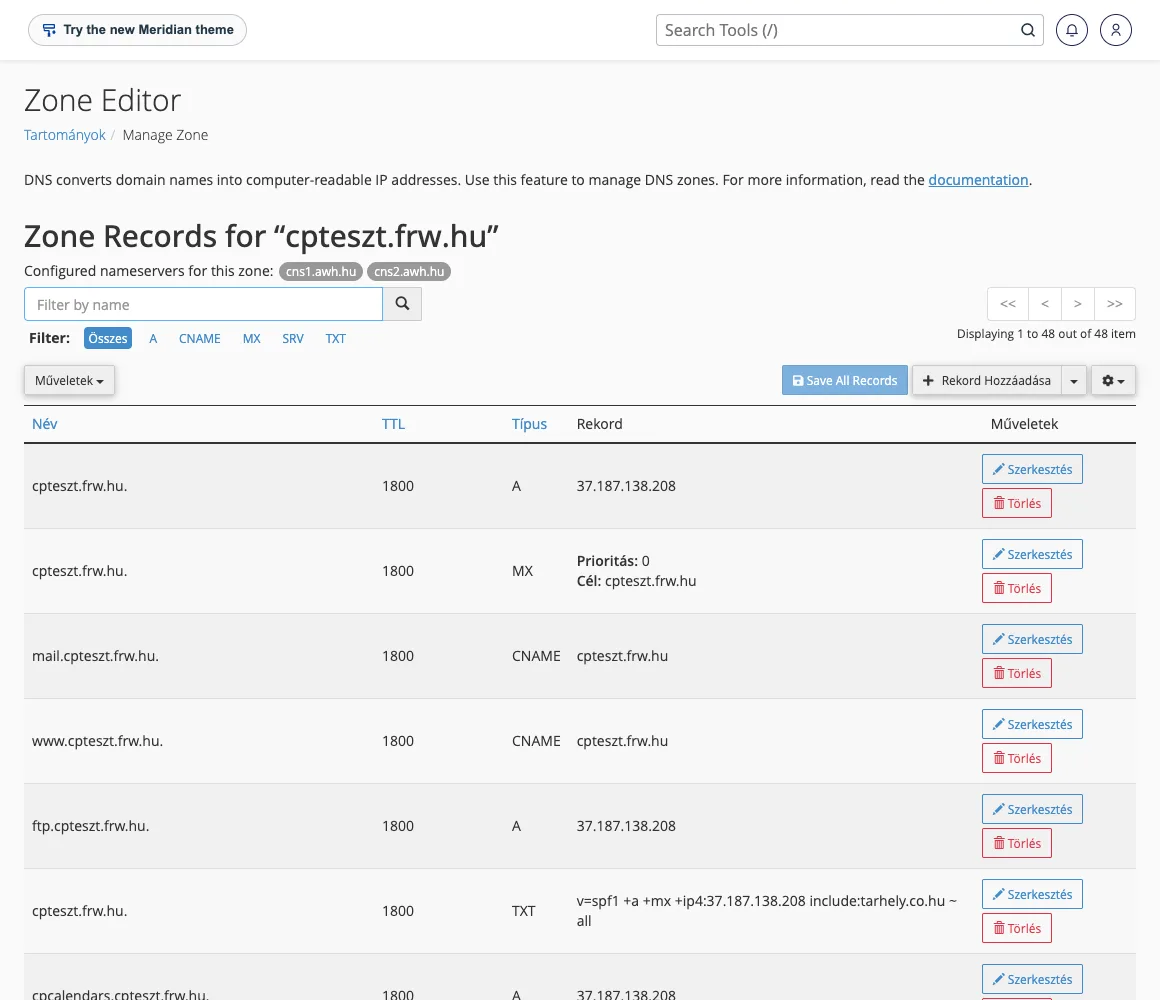
The domain name should only have one A record and one AAAA record: if there are any additional A or AAAA records pointing to the old hosting, delete them, otherwise some visitors will see the old site. Leave the TTL value at its default setting.
2. Adding a domain in Shopify
- In the Shopify admin, go to Settings > Domains.
- Click on the ‘Connect existing domain’ button.
- Enter the domain name without the subdomain (for example,
pelda.hu), then click Next, and finally click the Connect domain button.
Verification
On the domain details page, Shopify indicates whether the DNS records are already pointing to Shopify and whether the SSL certificate has been issued. It may take up to 48 hours for the changes to propagate; our article on DNS propagation explains this. If Shopify displays a slightly different address for the A record (for example, 23.227.38.32), this is also correct.
In the case of a subdomain
If the online shop were to operate on a subdomain (e.g. webshop.domainem.hu), it would be sufficient simply to create a CNAME record for that subdomain with the value shops.myshopify.com.; there is no need to modify the domain’s A and AAAA records, so the main website will continue to run on the hosting server.
Common errors
- “This domain is already connected to another Shopify store”: the domain is linked to another Shopify store; you must either remove it from there first or follow Shopify’s steps to verify ownership.
- The records in the Zone Editor are not valid: if the domain’s name servers do not point to the hosting account, any changes made in cPanel will have no effect. In this case, the records must be amended where the domain’s DNS is actually hosted.
- You are not receiving emails: please check that the MX records and mail records have remained unchanged. The article on modifying MX records covers e
mailsettings.