 English
 Magyar


To send and receive emails using your own domain (for example, info@pelda.hu, you need to create an email account (mailbox) on your hosting account. This can be done in a matter of minutes via cPanel.
Creating an account
-
Log in to cPanel and, under the ‘Email’ section, click on the ‘Email Accounts’ menu item.
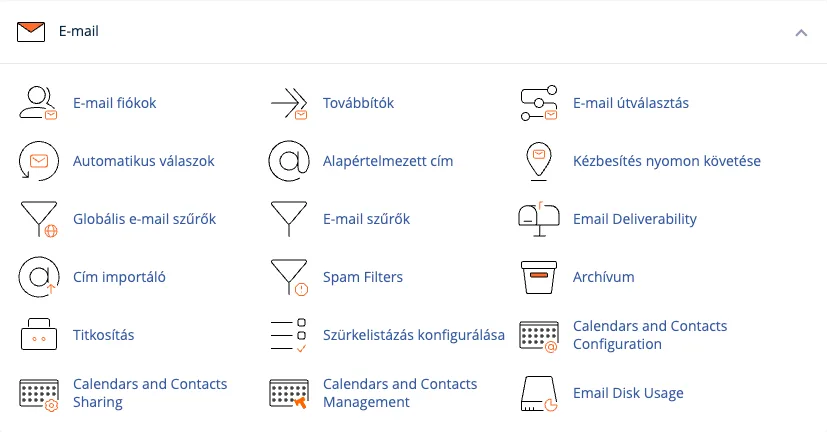
-
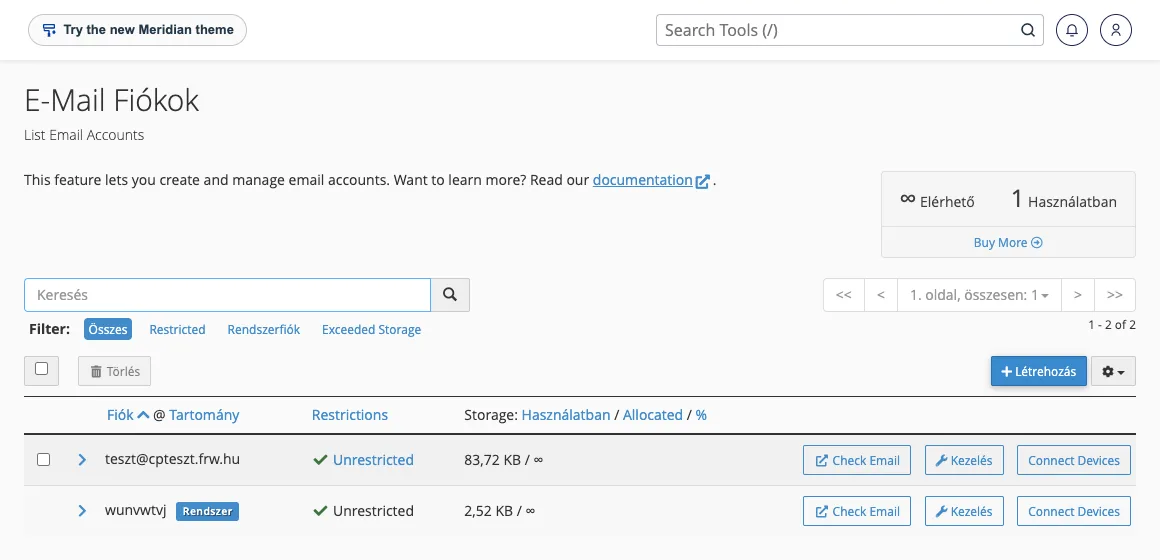
The following page shows the addresses that have already been created. If there are none yet, only the system’s own account (the cPanel username, marked ‘System’) will appear in the list. Click the ‘Create’ button.
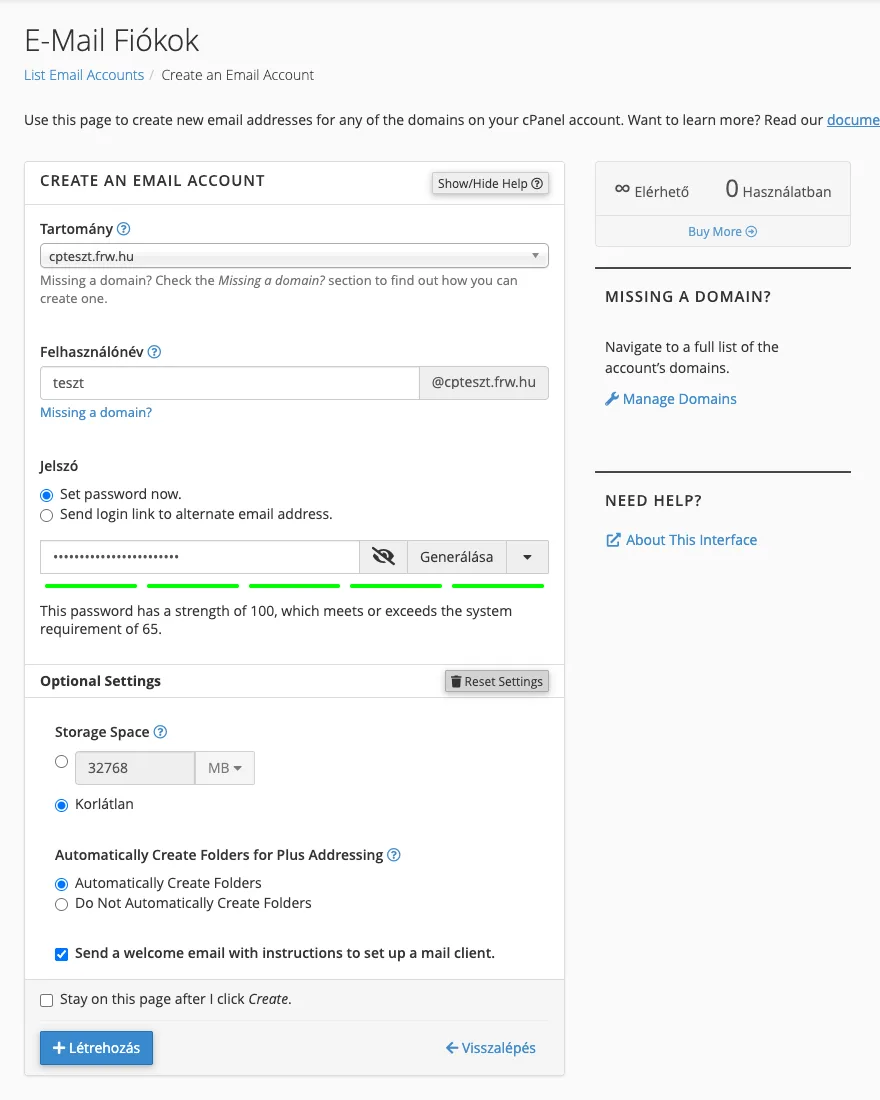
- If you have multiple domains in your cPanel account, select the one to which the mailbox should be linked. If you only have one domain, leave it as it is.
- In the Username field, enter the part of the address before the
@(for example,infoorkovacs.anna). - In the ‘Password’ section, enter a strong password (cPanel will also generate one for you using the ‘Generate’ button), or select the ‘Send login link to alternate email address’ option: cPanel will then send a link to a different email address, allowing the account user to set their own password. This is useful if you are creating the account for a colleague.
- You can access further settings by clicking the ‘Edit Settings’ button: in the ‘Storage Space’ section, you can set a limit on the size of your mailbox (the default is ‘Unlimited’, in which case the size of your hosting plan acts as the limit), and here you can also disable the welcome email, which explains how to set up your email client.
-
Click the ‘Create’ button.
Using your email account
- Webmail: you can log in via your browser at
https://pelda.hu/webmail(using your own domain), entering your full email address as your username. - Email client or telephone: in the list of email accounts, the ‘Connect Devices’ button next to each account displays the server’s exact details. Our guides: Outlook, Thunderbird, iPhone and Android.
Forwarding instead of a mailbox
If you simply wish to forward emails from an address to an existing mailbox, you do not need to create a separate account: a forwarding rule is sufficient.
To ensure your emails are delivered
If your domain uses our name servers, the DNS records required for email (MX, SPF, DKIM) are already set up. If you manage your DNS elsewhere, the cPanel Email Deliverability menu option will show you which records you need to add there. There is a separate article on how to modify MX records in cPanel.
A separate article covers mailbox size and how to free up space.