 English
 Magyar


DKIM (DomainKeys Identified Mail) is an email authentication method: the sending server digitally signs every outgoing email, and the recipient’s server verifies the signature using the public key published in the domain’s DNS. If the signature is valid, the recipient can be certain that the message was indeed sent on behalf of the domain from an authorised server, and that it has not been altered en route.
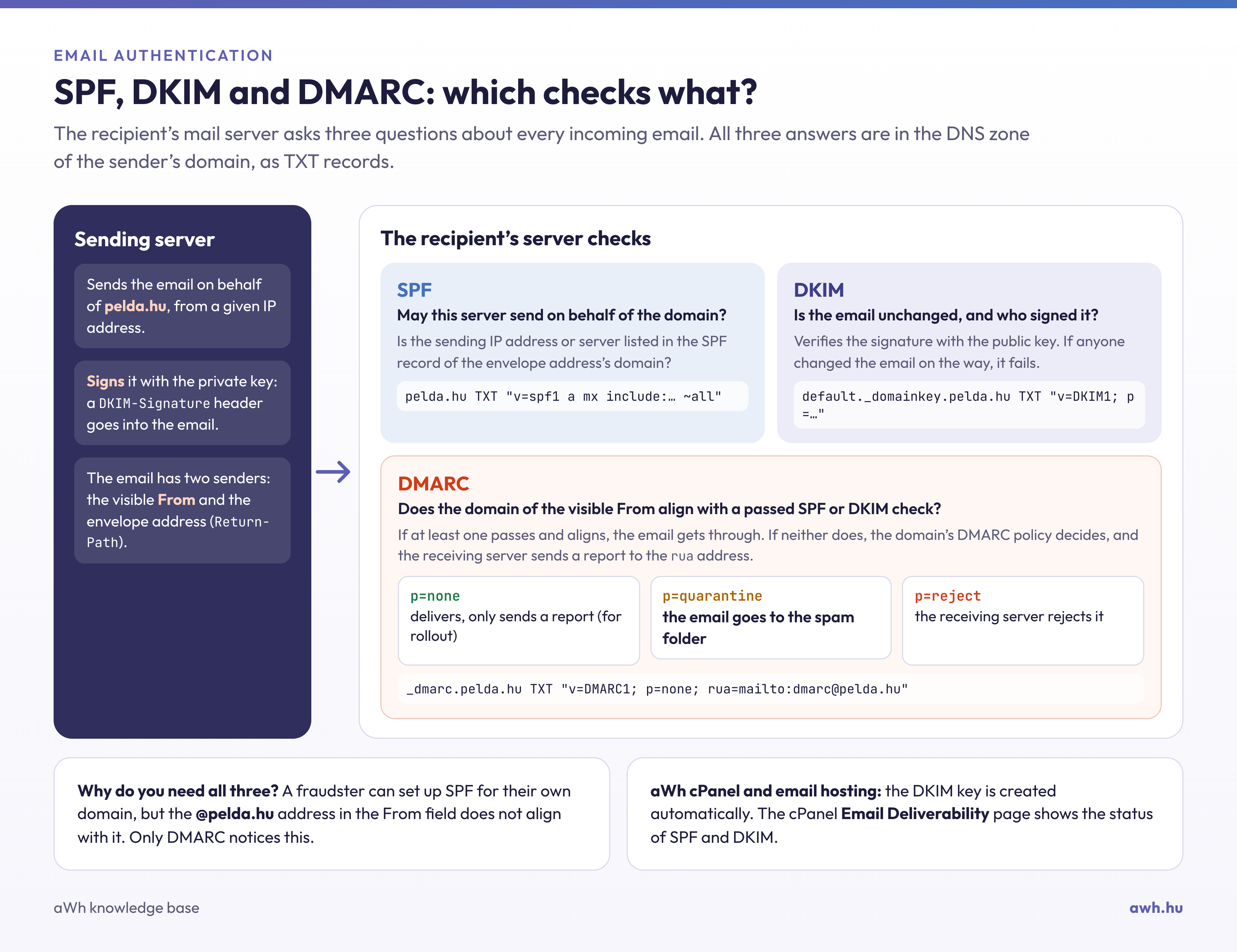
How does it work?
- The mail server contains a secret (private) key. The server uses this to generate a signature for certain parts of the email’s header and body, and attaches the signature to the email as a
DKIM-Signatureheader. - A TXT record in the domain’s DNS contains the corresponding public key. The record name consists of a so-called selector and the
_domainkeylabel, for exampledefault._domainkey.pelda.hu. - The recipient’s server retrieves the public key based on the selector specified in the email and uses it to verify the signature.
For example, a DKIM record looks like this (the key following p= is actually several hundred characters long):
v=DKIM1; k=rsa; p=MIIBIjANBgkqhkiG9w0BAQEFAAOCAQ8AMIIBCgKCAQEA...
A single domain may have multiple DKIM records with different selectors: for example, one for your own mail server and another for a newsletter service. Some providers specify the key not as a TXT record, but as a CNAME record pointing to their own DNS.
DKIM on aWh hosting plans
In our email hosting and cPanel hosting services, the DKIM key is generated automatically, and if the domain points to our name servers, the record is also added to the zone. In cPanel, the ‘Email Deliverability’ menu item shows whether the DKIM and SPF records are correct; if you manage your domain’s DNS elsewhere (for example, on Cloudflare), you will find the record there, which you will need to add.
How can this be checked?
Send an email to a Gmail address, open it, and select ‘View original’ from the menu. The line DKIM: 'PASS' in the header indicates that the signature is valid. You will also find the selector in the DKIM-Signature line of the email header, in the value s=.
You can check the published record using our free DKIM verification tool: it retrieves the domain’s public key, checks the record’s syntax and the key length (a 2048-bit key is recommended), and indicates if the key has been truncated during copying. If you do not know the selector, the tool will try all the common ones. The record can be queried from the command line as follows:
dig TXT default._domainkey.pelda.hu +short
Why is this important?
Since 2024, Gmail and Yahoo have required emails sent to them to be authenticated by SPF or DKIM, whilst high-volume senders must use both, as well as DMARC. Without DKIM, emails are more likely to end up in the spam folder. DKIM, together with the SPF record and the DMARC record, provides comprehensive protection; a blog post comparing SPF, DKIM and DMARC explains the differences between the three.