 English
 Magyar


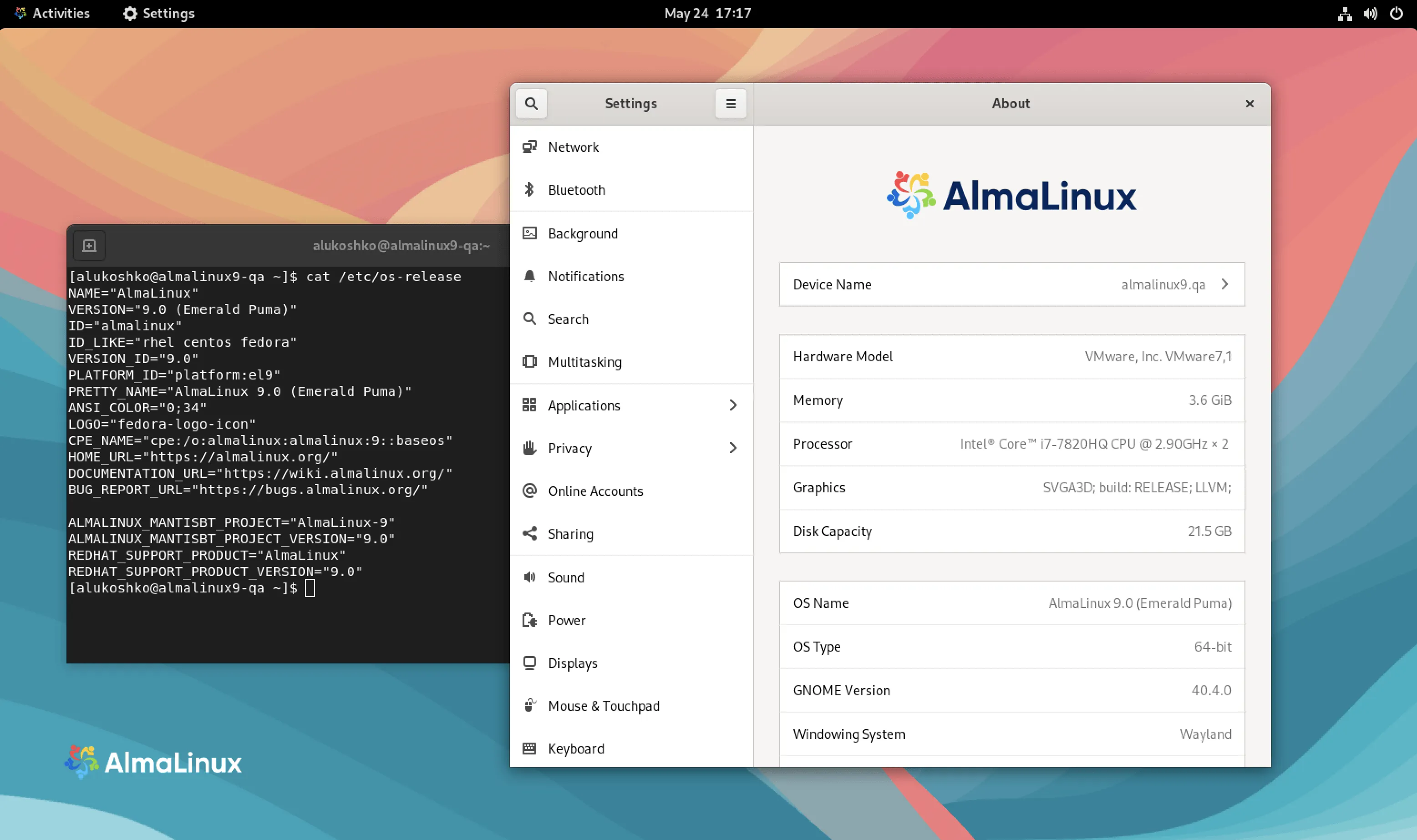
The long-awaited AlmaLinux 9.0 was released on 26 May 2022. The new major release, codenamed ‘Emerald Puma’, is based on the source code of CentOS Stream 9 and Red Hat Enterprise Linux 9, and supports the following four architectures, fully in line with the platforms supported by the upstream:
- Intel/AMD (x86_64)
- ARM64 (aarch64)
- IBM PowerPC (ppc64le)
- IBM Z (s390x)
ISO, Live system, cloud and Docker
The installation ISO images are great, but AlmaLinux is capable of much more than that. Upon release, updates to the following system and disk images were also rolled out; these are available from various cloud providers and on various platforms:
- Live CD/DVD: Try out GNOME, GNOME-mini, KDE and XFCE without installing them
- Cloud disk images:
- AWS AMIs: for x86_64 and Graviton instances
- Azure disk images: standard and HPC versions, for x86_64 and aarch64 architectures
- Google Cloud
- General Cloud/Cloud-init overview for all four architectures
- OpenNebula: x86_64 and aarch64 architectures
- Oracle Cloud Infrastructure: also supports x86_64 and aarch64 architectures
- Docker images, including alternatives to Platform and UBI. From the wide range of containers available, it’s worth checking out the official Docker image, as well as all the AlmaLinux Docker images.
- Raspberry Pi
- Vagrant Boxes: with support for Libvirt, VirtualBox, VMware, Hyper-V and Parallels
- Windows Subsystem for Linux
Release notes and further information
AlmaLinux OS 9.0 is based on upstream kernel version 5.14 (the distributed kernel is 5.14.0-70.13.1.el9_0) and includes innovations and fixes to support cloud and container development, as well as enhancements to the web console (Cockpit). This release also offers enhancements for security and compliance, including additional security profiles, significantly improved SELinux performance and user authentication logs. Other updates include Python 3.9, GCC 11, and the latest versions of the LLVM, Rust and Go compilers, which make modernising applications faster and easier. You can read more about this in the release notes; the full list of changes can be found in the Red Hat Enterprise Linux 9.0 release notes.
Software versions in AlmaLinux 9.0
The most important consideration for a web server is which versions of programming languages and server software are included with the system. According to the release notes:
| Area | Versions |
|---|---|
| Programming languages | PHP 8.0, Perl 5.32, Python 3.9, Git 2.31 |
| Web and proxy servers | Apache HTTP Server 2.4.51, Varnish Cache 6.6, Squid 5.2 |
| Databases | MySQL 8.0, Redis 6.2 |
| Translators and base directories | GCC 11.2.1, glibc 2.34, binutils 2.35.2, Go Toolset 1.17.7 |
| Performance measurement and troubleshooting | PCP 5.3.5, Grafana 7.5.11, GDB 10.2, Valgrind 3.18.1, SystemTap 4.6, Dyninst 11.0.0, elfutils 0.186 |
| Java tools | Maven 3.6, Ant 1.10 |
SAP and SAPHANA have been released as new storage solutions, complete with the packages required to run SAP applications.
Important changes compared to version 8
New GPG key. AlmaLinux 9 packages and repositories are signed with the new RPM-GPG-KEY-AlmaLinux-9 key, so you’ll need to import this key if you’re using your own mirror or an automated installation.
Restrictions on SHA-1 signatures. The default cryptographic policy (crypto policy) already restricts SHA-1-based signatures. This may cause problems if you need to log in via SSH to older systems, such as RHEL/CentOS 6 servers. If this is absolutely necessary, the policy can be temporarily relaxed:
update-crypto-policies --set DEFAULT:SHA1
For security reasons, it is better to update the old server and only use this configuration temporarily.
Installation and checking the ISO
Three ISO images have been created for the x86_64 architecture: the network installer AlmaLinux-9.0-x86_64-boot.iso, which downloads packages from the internet; AlmaLinux-9.0-x86_64-minimal.iso, for local or offline installation; and AlmaLinux-9.0-x86_64-dvd.iso, which contains almost all packages. We recommend using a torrent or a nearby mirror server for downloading. For the boot ISO, if the installer cannot find a mirror, you must specify the 9.0/BaseOS/x86_64/kickstart/ directory as the installation source.
You can verify the integrity of the downloaded image file using the signed CHECKSUM file:
wget https://repo.almalinux.org/almalinux/RPM-GPG-KEY-AlmaLinux-9
gpg --import RPM-GPG-KEY-AlmaLinux-9
wget https://vault.almalinux.org/9.0/isos/x86_64/CHECKSUM
gpg --verify CHECKSUM
sha256sum AlmaLinux-9.0-x86_64-boot.iso
The output of gpg --verify should include the line “Good signature” from the “AlmaLinux OS 9” key (fingerprint: BF18 AC28 7617 8908 D6E7 1267 D36C B86C B86B 3716), and the sha256sum result must match the value in the CHECKSUM file.
Update to version 9.0
To upgrade from the 9.0 beta version to the final release, run the dnf upgrade -y command twice. However, on AlmaLinux 8, dnf upgrade will not upgrade you to the 9.0 major release: this requires either a reinstallation or an in-place upgrade using the ELevate tool, the steps for which are described in our guide ‘Upgrading AlmaLinux and Rocky Linux from 8 to 9 using ELevate’.
How long will AlmaLinux 9 be supported?
Active support for AlmaLinux 9 runs until 31 May 2027, and security updates will be provided until 31 May 2032. Individual point releases reach the end of their lifecycle upon the release of the next one, so the dnf upgrade command will always update to the latest point release in the series. Future releases in the 9 series:
- AlmaLinux 9.1 (November 2022)
- AlmaLinux 9.2 (May 2023)
- AlmaLinux 9.3 (November 2023)
- AlmaLinux 9.4 (May 2024)
- AlmaLinux 9.5 ‘Teal Serval’ (November 2024)
- AlmaLinux 9.6 ‘Sage Margay’ (May 2025)
- AlmaLinux 9.7 (November 2025)
- AlmaLinux 9.8 (May 2026)
We wrote about the next major release in our introduction to AlmaLinux 10.0.
Visual improvements
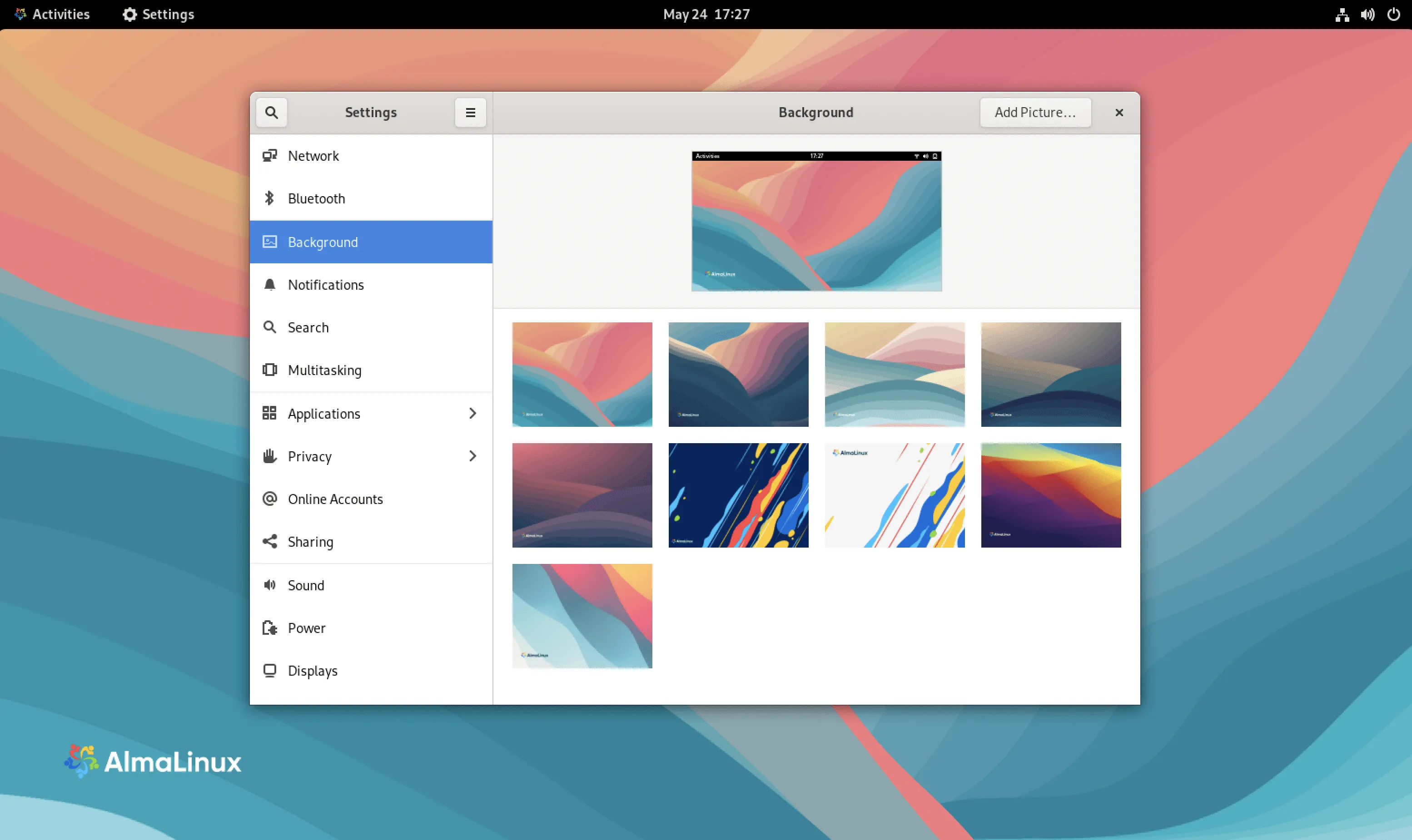
The AlmaLinux team has also created some new wallpapers for this release, whilst retaining the familiar AlmaLinux 8 wallpapers so that everyone can find one to suit their mood.
You can choose AlmaLinux 9 as your operating system when ordering a KVM VPS or a dedicated server.